
Description
Slotnest adds booking forms to Bookly. A guided setup takes a new site from “just activated” to a live booking page in about two minutes: it adds your first service and staff member to Bookly, publishes a form and creates a “Book now” page. Design more forms visually, then place them with the Slotnest booking form block or the [slotnest_booking id="123"] shortcode. Bookings land in Bookly like any other appointment.
Slotnest is an independent add-on. It is not made by or affiliated with the authors of Bookly. The free Bookly plugin must be installed and active. Slotnest is tested with the free Bookly plugin (Bookly 28.5); it has not been tested with Bookly Pro or Bookly’s paid add-ons.
What you get
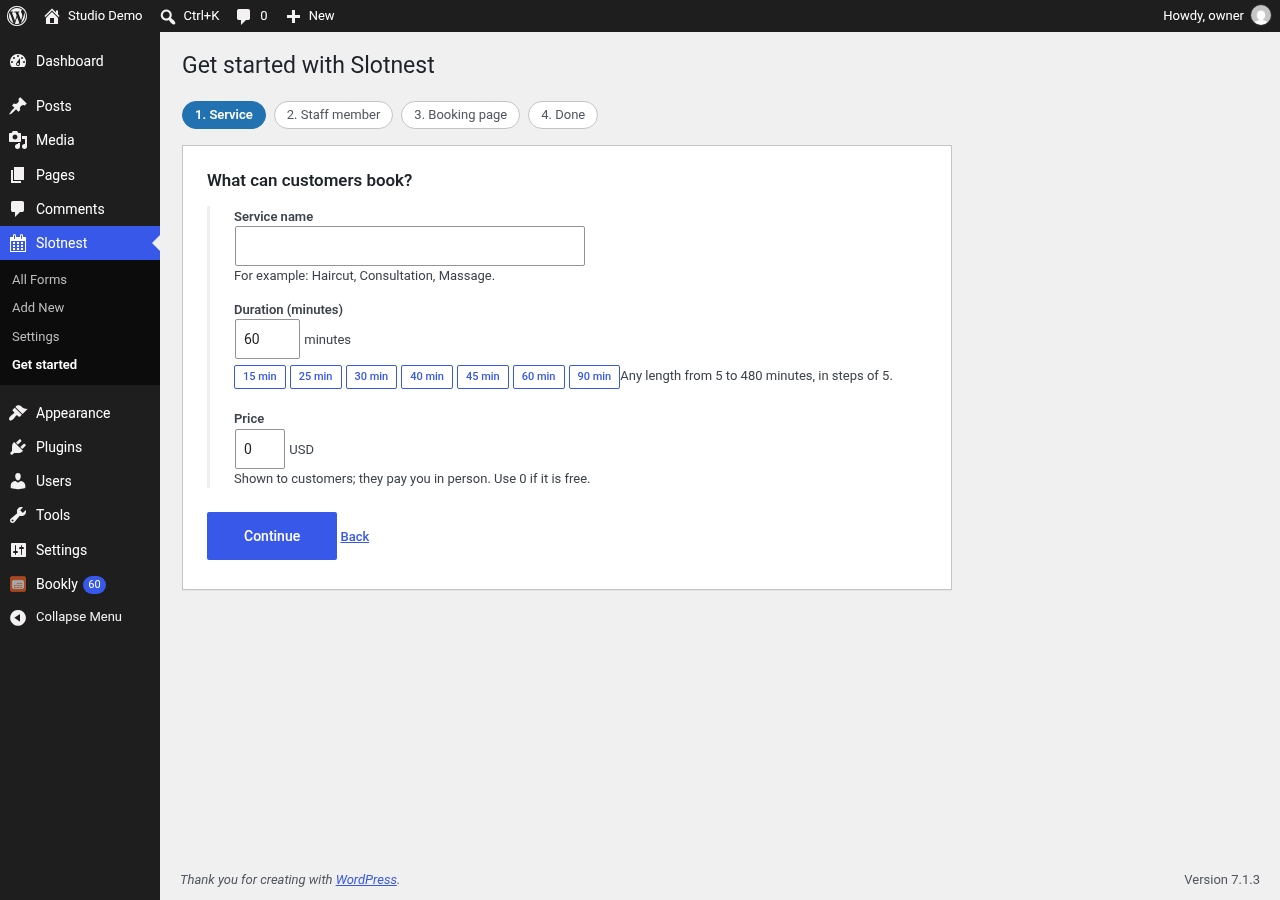
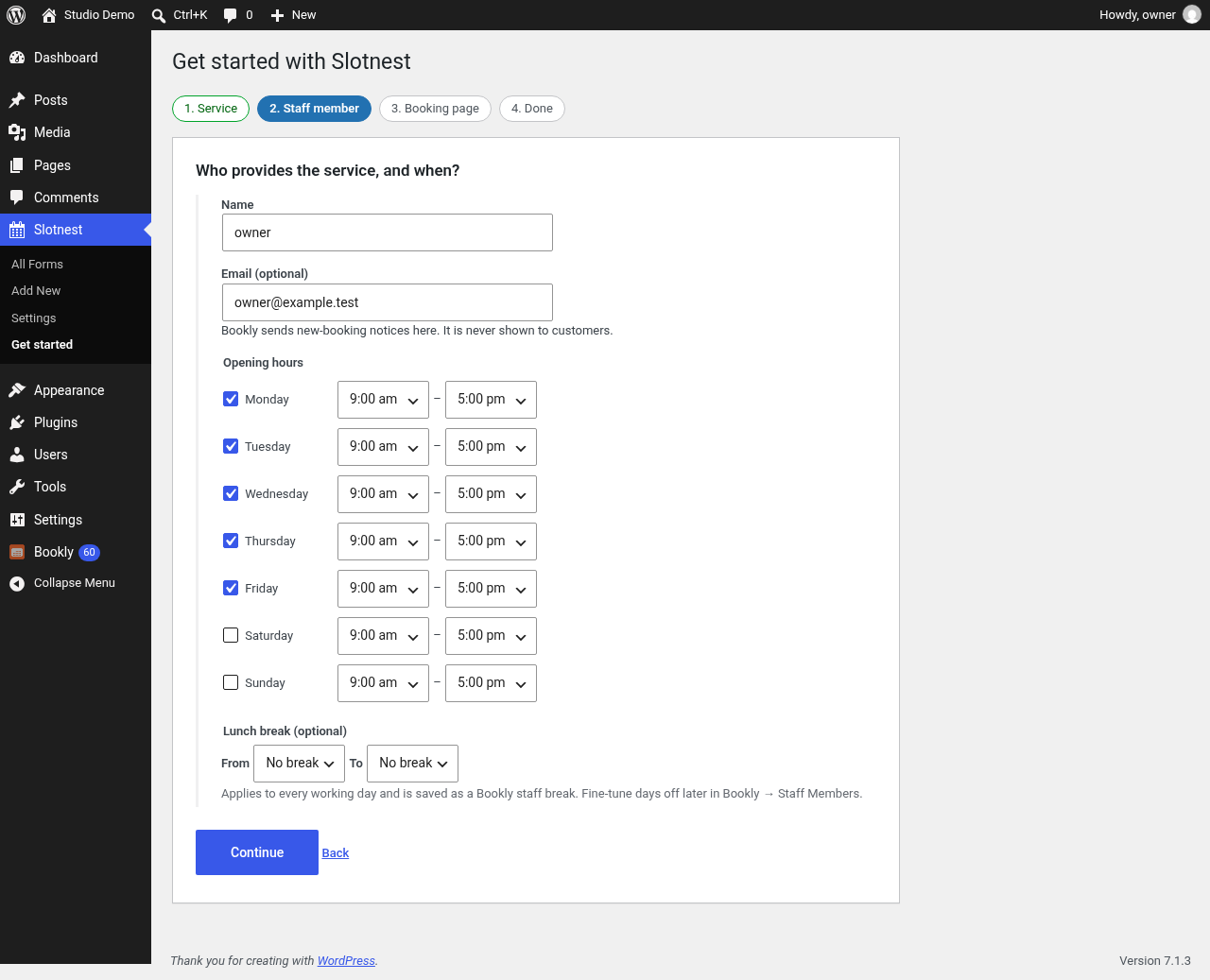
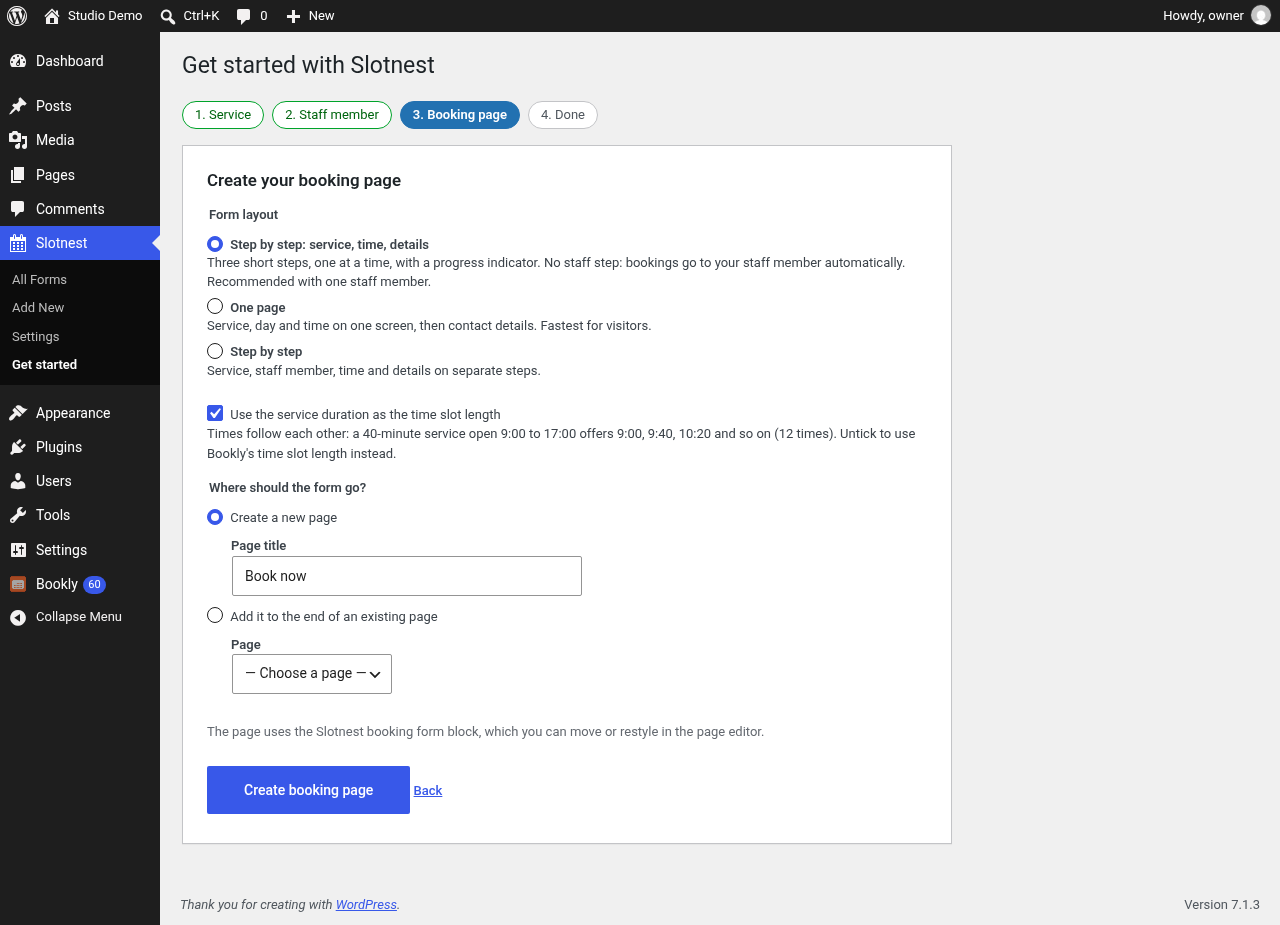
- Guided first-run setup that works on an empty Bookly install: service (name, length, price), staff member (working days and hours), a published form and a booking page.
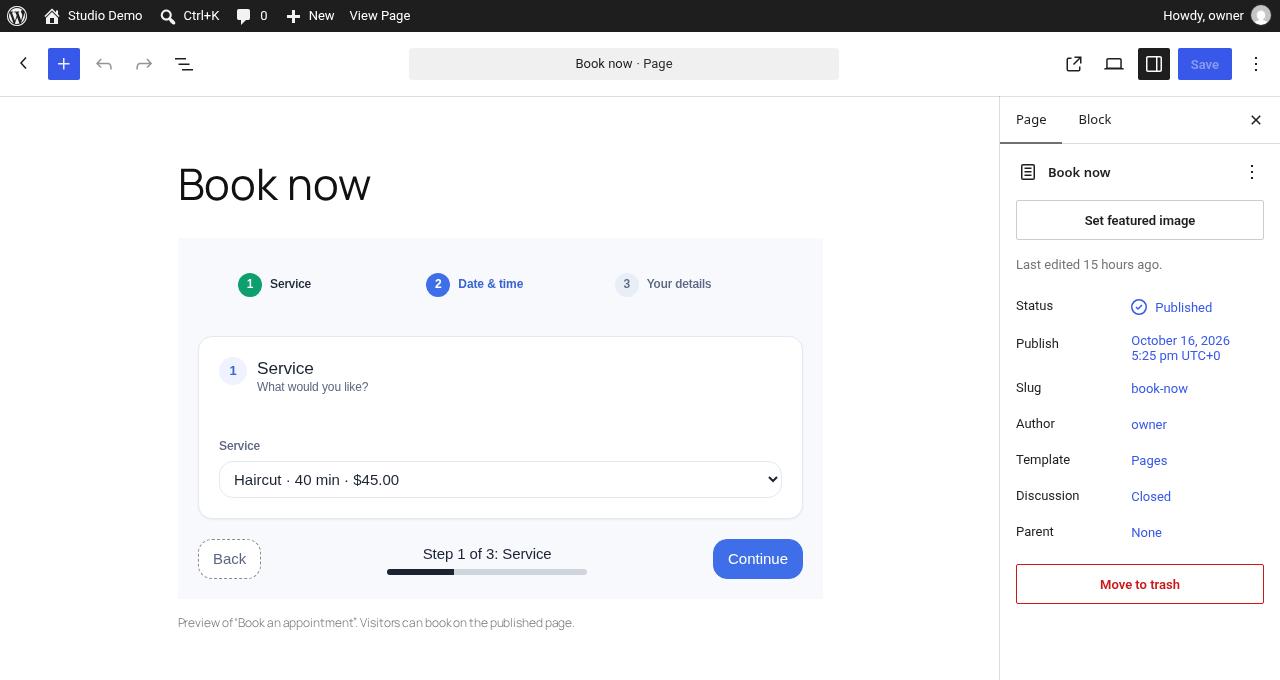
- A “Slotnest booking form” block: pick a published form from a dropdown and see a live preview in the editor.
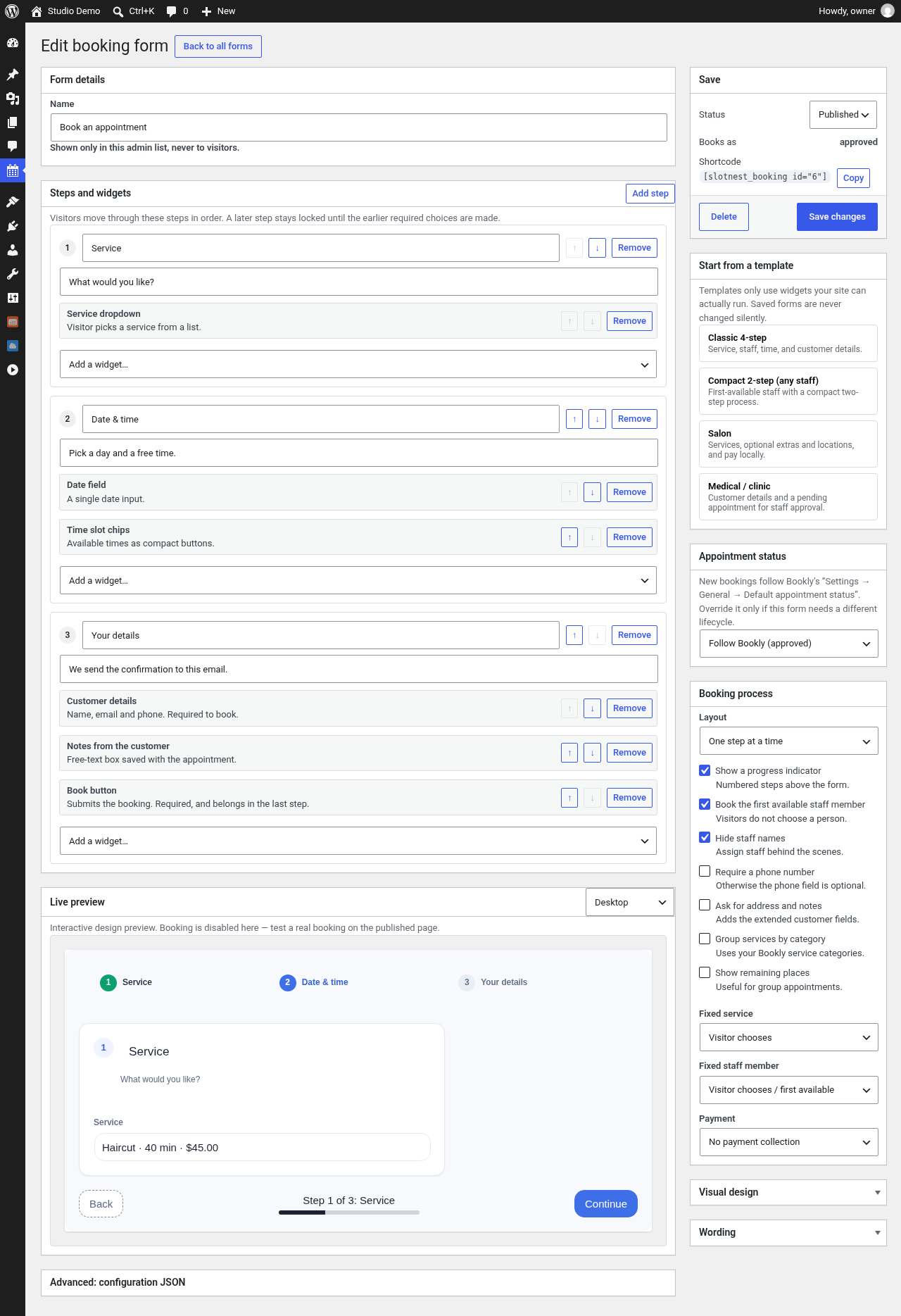
- Saved forms with draft and publish, listed on a familiar WordPress list screen.
- Templates to start from: classic four-step, compact two-step, salon and clinic.
- Visual design: colours, typography, spacing, wizard or single-page layout, button and field labels.
- A live preview that can never create appointments.
- Public booking that rechecks availability and capacity on the server before it saves.
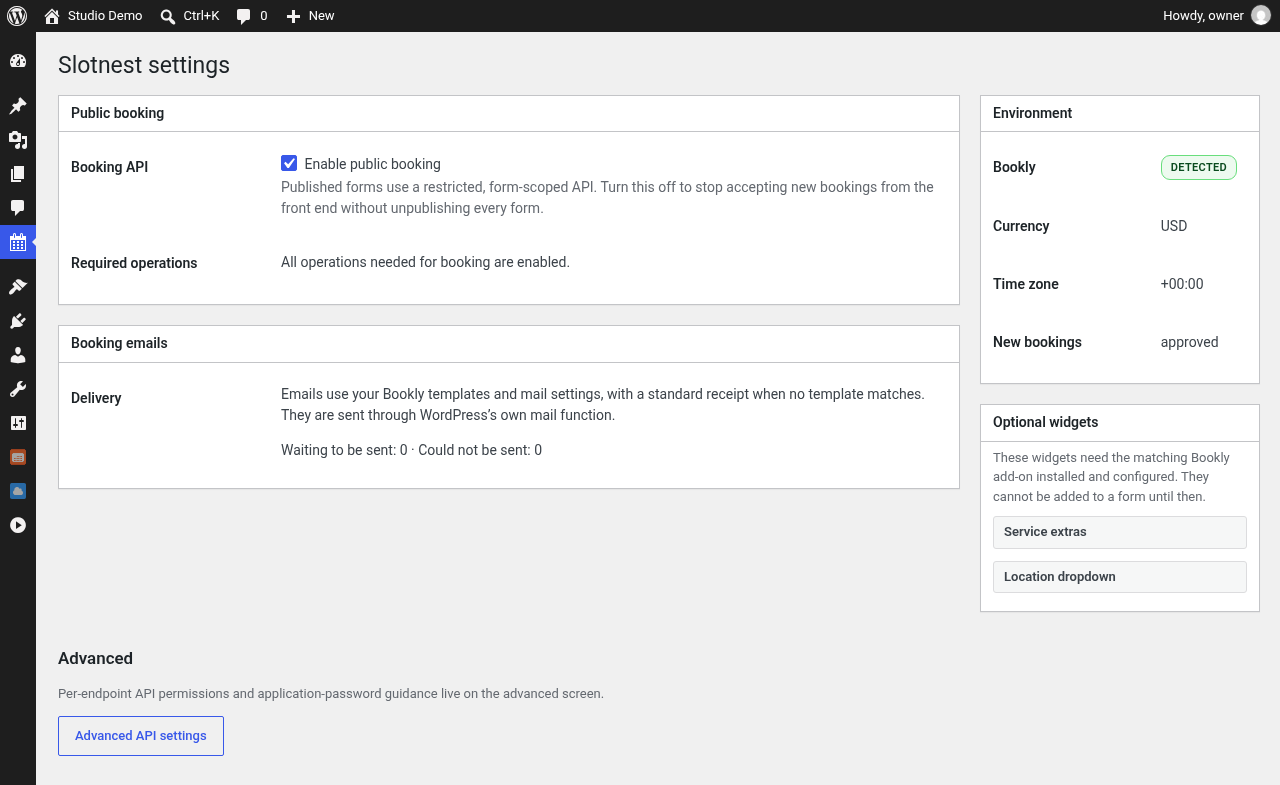
- Unpaid bookings or “pay locally” reservations. Staff collect the payment in Bookly.
- Customer and staff confirmation emails through Bookly’s mail settings and templates, with automatic delivery retries.
- Safe retries: a visitor who loses the connection and submits again does not create a second appointment.
- When Slotnest and Bookly’s own appointment editor save for the same staff member at the same moment, one waits for the other, and the editor’s overlap warning also sees Slotnest bookings. This uses Bookly internals (see “Which parts of Bookly does Slotnest rely on?” below).
- Optional authenticated REST API (
slotnest/v1) for integrations, with per-endpoint read, write and delete switches under Tools Slotnest API.
Privacy and security
- Public forms never receive administrator credentials and cannot read customer lists.
- Public endpoints accept only the fields a published form uses.
- Rate limits per visitor address (IPv6 addresses are grouped by their /64 network): 600 read units a minute per form (a month of availability counts as 10), 10 bookings and 30 rejected attempts per 10 minutes. Per customer email address: 5 bookings a day from one visitor address and 15 a day from all addresses together (filters
slotnest_public_email_ip_limitandslotnest_public_email_limit). Limits use fixed time windows (a “day” is a UTC calendar day, so around a window boundary up to twice a limit can get through) and are counted atomically in the database, so parallel requests cannot exceed them. - Spam protection: a hidden honeypot field; length limits on names (60 characters), email (100), phone (32) and notes (1,000); names cannot contain links, domain names (anything like “name.tld”, also with spaces or look-alike dots), email addresses, markup or four or more digits, and notes cannot contain links or domain names. This makes it hard to use the form to email advertising text, but notes are still free text. A CAPTCHA can be added through the
slotnest_public_book_allowedfilter; none is built in, and the plugin makes no external calls. - Booking receipts are deleted after 48 hours; sent and failed email queue rows after 30 days. Queued emails contain the customer’s name and email address until then.
What Slotnest writes to Bookly
A public booking adds rows to Bookly’s own tables, the same rows Bookly’s booking form adds: a customer (bookly_customers), an order (bookly_orders), an appointment (bookly_appointments), the customer’s booking (bookly_customer_appointments) and, on “pay locally” forms, an unpaid payment (bookly_payments). The guided setup adds a service, a staff member, the link between them and the staff member’s working hours. The optional integration API can create, change and delete Bookly appointments, customers, services and staff when an administrator switches those operations on. Slotnest keeps its own data (booking receipts, the email queue and rate-limit counters) in three tables of its own.
Not included
- Online card or wallet payments.
- Carts, recurring series, waitlists, coupons and gift cards on public forms. Authenticated API routes for these exist and stay off until an administrator enables them.
- SMS and reminder campaigns.
Requirements
The free Bookly plugin (tested with 28.5). Public booking needs InnoDB tables and MySQL 5.7.5+ or MariaDB 10.0.2+ (tested with MariaDB 11.4).
Source code and build
The admin form designer and the public booking form are a React application written in TypeScript. Its full source ships with the plugin in source/. The built file, assets/suite.js, is not minified.
To rebuild it you need Node.js 20 or newer:
cd sourcenpm cinpm run build:wordpress
The build writes assets/suite.js and assets/suite.css into the plugin folder.
The block is built with @wordpress/scripts (not minified):
cd source/blocknpm cinpm run build
The build writes build/booking-form/ (block.json, index.js, index.css, render.php).
Screenshots
Blocks
This plugin provides 1 block.
- Slotnest booking form Show a Slotnest booking form so visitors can book an appointment in Bookly.
Installation
- Install Slotnest from Plugins Add New, or upload the ZIP. WordPress asks you to install and activate the free Bookly plugin first.
- Activate Slotnest. The guided setup opens (you can re-open it any time from Slotnest Get started).
- Add your service and the person who provides it, or pick the ones you already have in Bookly.
- Click “Create booking page”. Open the page in a private window and make a test booking.
- To use the form elsewhere, add the “Slotnest booking form” block to any page, or paste the shortcode from Slotnest All Forms.
Upgrading from Buklio Booking Forms for Bookly (3.x, the plugin’s previous name) or the older “Bookly API CRUD” plugin: activate Slotnest and it deactivates the older plugin for you. Forms (with the same IDs), settings, the API capability and queued emails carry over, and existing [buklio_booking] shortcodes and Buklio booking form blocks keep working; the block editor offers to convert old blocks to the Slotnest block. You can then delete the older plugin; your forms and booking data stay. If you reactivate Buklio afterwards it will not see the converted forms.
FAQ
-
How do I add a booking form to a page?
-
In the block editor, add the “Slotnest booking form” block and choose a published form from the dropdown. The editor shows a live preview. In the classic editor or a page builder, paste the shortcode shown next to the form in Slotnest All Forms. Pasting a
[slotnest_booking]shortcode into the block editor converts it to the block. -
I skipped the setup. How do I get it back?
-
Open Slotnest Get started. You can run it again at any time; it reuses the service, staff member, form and page it created instead of adding duplicates.
-
Does the setup change my Bookly settings?
-
It adds the service and staff member you enter (through Bookly’s own data classes, with Bookly’s free-plan limits of five services and one staff member) and links them. A fresh Bookly starts in its own first-run wizard, which hides its Services, Staff and Calendar screens; once Slotnest has added a service and a staff member it ends that wizard the same way Bookly does when it finishes. Nothing else in Bookly changes.
-
Does it work without Bookly?
-
No. Slotnest reads and writes Bookly’s appointments, services and staff. WordPress asks you to install Bookly first, and without Bookly’s tables forms and API calls return a clear error instead of booking.
-
Does it work with Bookly Pro and its add-ons?
-
It has not been tested with Bookly Pro or any paid Bookly add-on, so treat that combination as unsupported for now. Known gaps: Slotnest’s availability check does not see busy times from Google, Outlook or Apple calendars, special days, compound or collaborative services, or other Pro scheduling rules. It does use Bookly’s own minimum-notice setting, including Pro’s per-service value, and after a booking it runs Bookly’s calendar and online-meeting sync the same way Bookly’s form does. Features that depend on an add-on (extras, locations, custom fields) only appear when Bookly reports that add-on’s tables.
-
Which parts of Bookly does Slotnest rely on?
-
Bookly’s database tables (read, and written as described above), and these Bookly classes, each checked before use with a safe fallback: the Service, Staff, StaffService, StaffScheduleItem, Order, Appointment and CustomerAppointment entities;
Lib\Proxy\Pro::getMinimumTimePriorBooking(minimum notice);Lib\Utils\Common::syncWithCalendarsandLib\Proxy\Shared::syncOnlineMeeting(sync after a booking);Lib\Notifications\Booking\SenderwithBackend\Components\Dialogs\Queue\NotificationListandLib\Utils\Mail(emails; a plain receipt is sent if they are missing);Lib\Utils\Appointment::checkTime(overlap warning in Bookly’s editor);Lib\Utils\Common::isCurrentUserAdmin/isCurrentUserStaff;Lib\Config(plan limits and setup wizard state); andLib\Plugin(detection). A Bookly update that changes these can turn a fallback on: for example plain-text emails instead of Bookly’s templates. -
Is there spam protection?
-
Yes, without any external service: a honeypot field, per-address and per-email booking limits, and limits on what visitors can type into fields that end up in emails. To add a CAPTCHA, hook
slotnest_public_book_allowedand return aWP_Errorto reject a booking. -
Can someone block a customer by using their email address?
-
Only partly. A per-email cap stops one person from sending many booking emails to someone else’s address, but anyone who knows an address can also use up its cap. Slotnest limits that: one visitor address can use at most 5 of an email’s bookings a day, and an email address is only blocked for everyone after 15 bookings a day from at least three different addresses (or networks), each of which also takes a real slot in your calendar and sends you a booking email. A blocked customer sees a message asking them to contact you. You can raise or lower both numbers with the
slotnest_public_email_ip_limitandslotnest_public_email_limitfilters, or turn a cap off by returning 0. -
Can visitors pay online?
-
Not with this plugin. Each form chooses between unpaid bookings and “pay locally”, which records an unpaid payment that stays pending until staff collect it in Bookly.
-
Will a public booking send email?
-
Yes. Customer and staff emails go out through Bookly’s mail settings, using a matching Bookly template when one exists or a plain receipt otherwise. Failed deliveries are retried.
-
Are the REST endpoints public?
-
The
slotnest/v1integration API requires a logged-in user with theslotnest_api_accesscapability (administrators have it). Published forms use a small public catalog and booking endpoint that never exposes customer data. -
How do I translate the plugin?
-
All text is in English and translatable with the text domain
slotnest. A template is included atlanguages/slotnest.pot. -
Where is the source code of the JavaScript?
-
assets/suite.js is built from the TypeScript/React source in
source/, and the block inbuild/booking-form/from the source insource/block/. See “Source code and build” below.
Reviews
There are no reviews for this plugin.
Contributors & Developers
“Slotnest Booking Forms for Bookly” is open source software. The following people have contributed to this plugin.
Contributors
Translate “Slotnest Booking Forms for Bookly” into your language.
Interested in development?
Browse the code, check out the SVN repository, or subscribe to the development log by RSS.
Changelog
4.0.1
- Admin notices appear only on Slotnest’s own screens, can always be dismissed, and stay dismissed for that user. While an older copy of the plugin is active, the explanation sits in Slotnest’s row on the Plugins screen.
- The embedded form frame’s CSS is loaded with wp_add_inline_style instead of an inline style tag.
- The release ZIP no longer contains test files, developer documentation or dotfiles. The human-readable app and block sources remain in
source/. - The step counter’s “Step N of M” string has a translators comment; the Site URL field no longer shows an example URL.
4.0.0
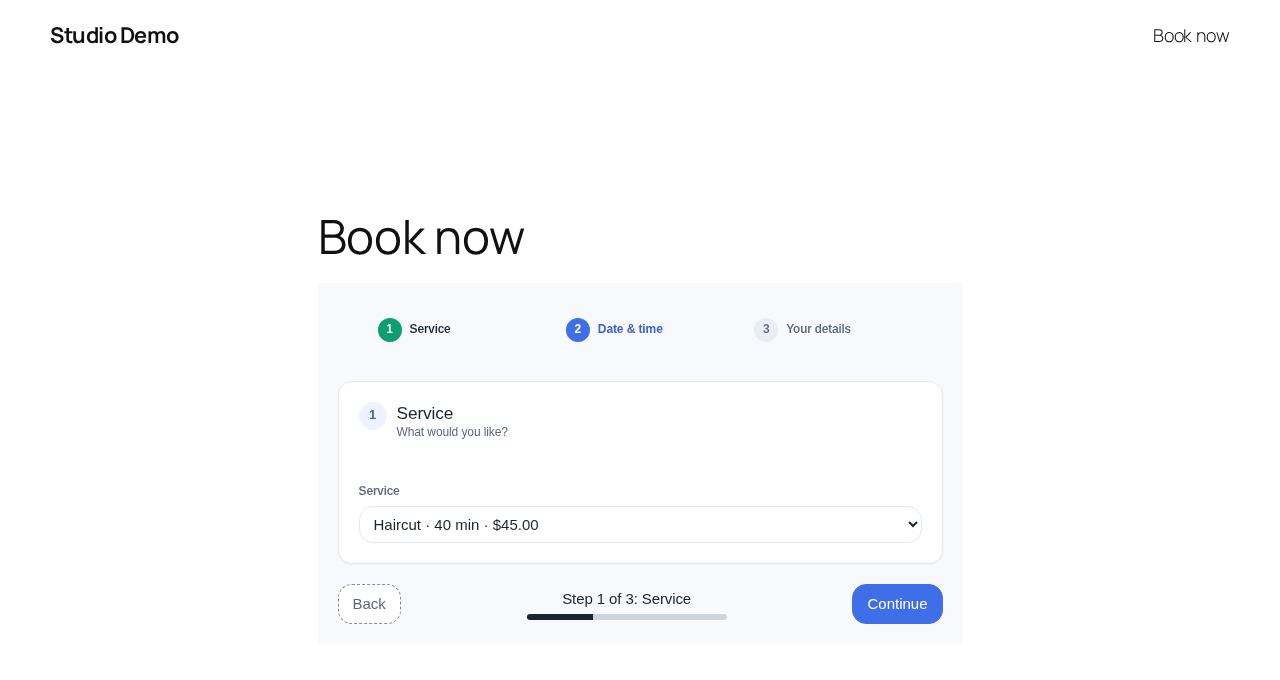
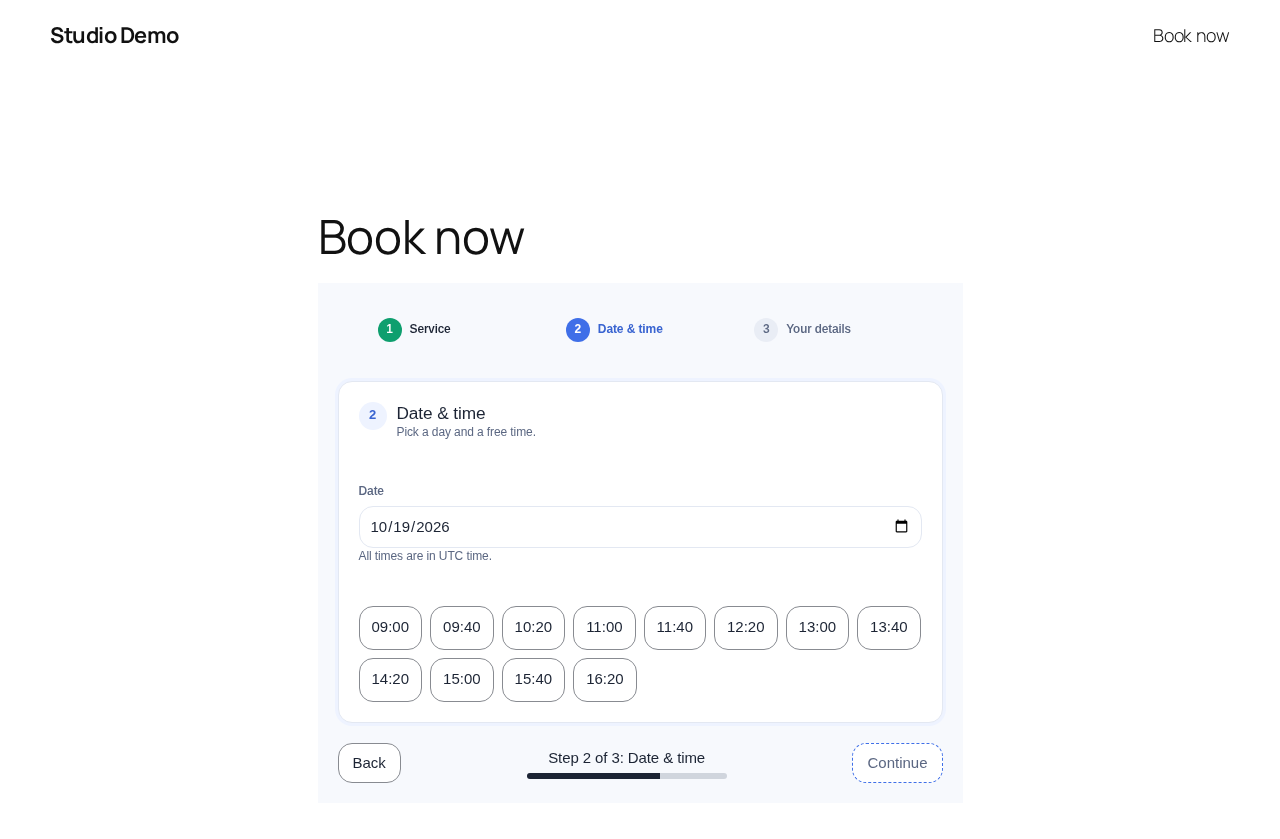
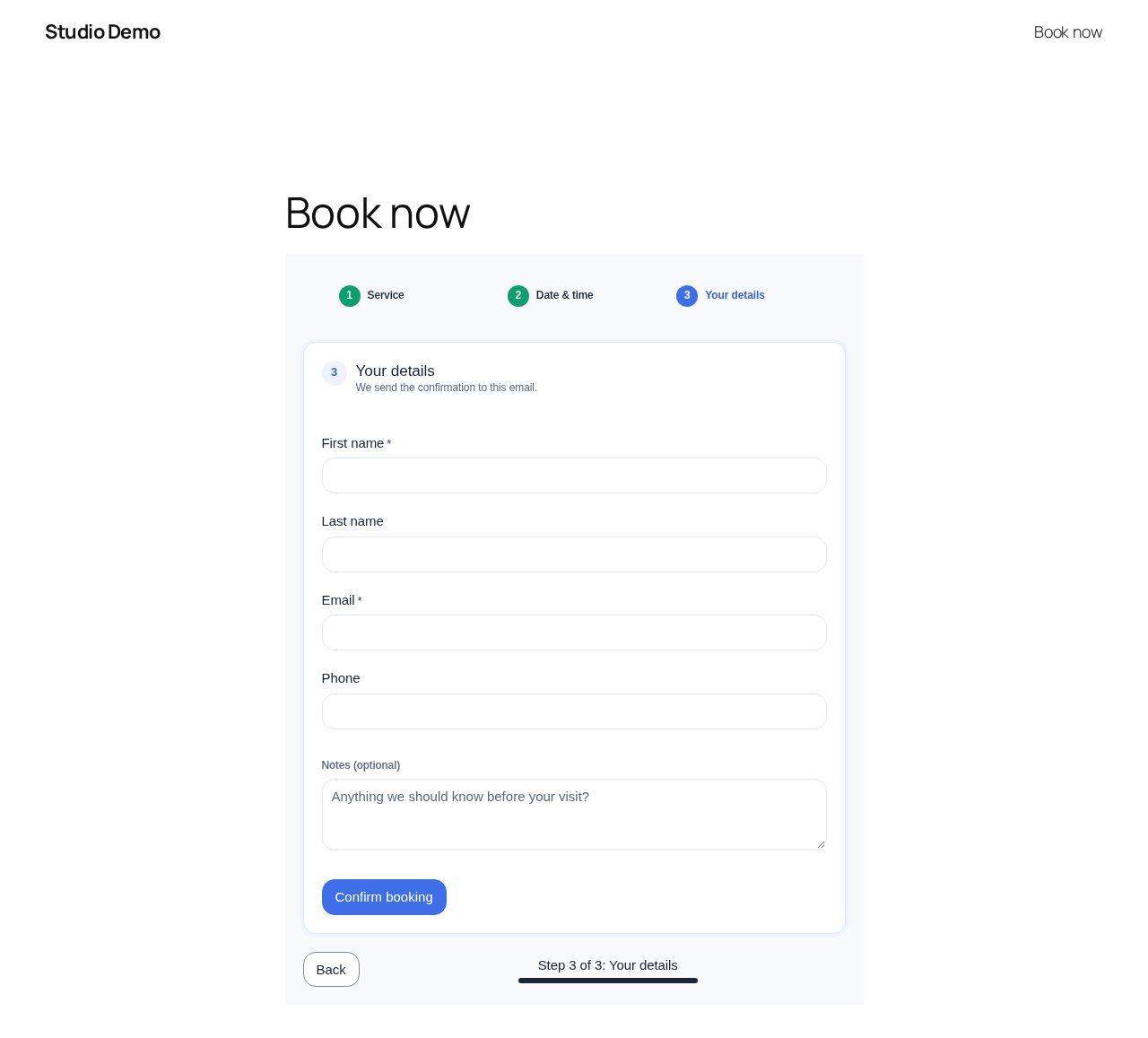
- Guided setup: type any service length (5 to 480 minutes) or pick a preset; set opening hours per weekday and an optional lunch break (saved as Bookly staff breaks); the new default booking page has three short steps (Service, Date & time, Your details) with no staff step, and times follow the service length.
- Booking forms shown step by step say “Step N of M” and show a progress bar; the notes field is marked optional; visitors no longer see setup hints meant for site owners.
- Renamed to “Slotnest Booking Forms for Bookly”. New folder and main file (
slotnest/slotnest.php), text domainslotnest,slotnest_/Slotnest_/SLOTNEST_prefixes, blockslotnest/booking-form, shortcode[slotnest_booking], REST namespaceslotnest/v1, capabilityslotnest_api_access, and filters and actions such asslotnest_public_book_allowedandslotnest_booking_created. Integrations that callbuklio/v1or hookbuklio_*filters need updating, hence the major version. - Upgrade path from Buklio 3.x (and, chained, from “Bookly API CRUD”): activation deactivates the older copy, copies settings and the API capability, copies saved forms (old form IDs keep resolving to their copies) and copies the receipts and email queue.
[buklio_booking]shortcodes,buklio/booking-formblocks and old embed links keep working. Nothing of the older plugin is changed or deleted, not even by Slotnest’s uninstaller, so you can roll back by reactivating it; forms created or changed meanwhile are copied again when Slotnest is reactivated. Deleting the older plugin later leaves Slotnest’s data alone. - Rate limits and the per-email cap are now counted atomically in a small database table (
slotnest_counters), so parallel requests can no longer get past them. Old rate-limit transients are removed on upgrade. - The per-email cap is 5 a day per visitor address plus 15 a day overall, so one person cannot lock a customer out (new filter
slotnest_public_email_ip_limit). Gmail addresses with dots count as one address. - Names reject any domain-like text, spaced or look-alike dots (including U+2024, U+2027 and U+06D4) and phone numbers, but accept initials and titles written without a space (“Dr.Smith”, “J.R.R.Tolkien”); notes reject domain names, not only common endings.
- A retried booking from before the upgrade (same Idempotency-Key) gets its original receipt instead of a 409.
- Slot conflicts are recognised by error code (
slotnest_slot_taken), so rate limiting treats them the same on translated sites. - Appointments created through the integration API now get a Bookly order, Bookly’s calendar and online-meeting sync, and the
slotnest_booking_createdaction, like public bookings. Edits through the API re-sync. - Appointments created through the integration API take the same per-staff locks as public bookings and are refused (409
slotnest_slot_taken) when they overlap an active appointment of that staff member; send"allow_overlap": trueto book over it on purpose, as Bookly’s own calendar allows. - The developer connection panel is no longer included in the WordPress build.
3.1.0
- New “Buklio booking form” block (block.json API version 3): choose a published form from a dropdown, see a live preview, or follow “Create a form” when there is none. Renders on the server from the same code as the shortcode, and a pasted
[buklio_booking]shortcode converts to it. - New guided setup, opened once after activation and always available under Buklio Get started. It checks for Bookly (with install and activate buttons through WordPress’ own screens), adds the first service and staff member with working hours through Bookly’s data classes, publishes a form and creates a booking page or adds the block to an existing one. Re-running it updates what it created instead of duplicating it.
- Public form: a sole service is selected automatically, and the receipt no longer shows a dangling “with” when staff is hidden.
- An embedded second form no longer shows the WordPress toolbar of a logged-in user inside its frame.
- Security: an outdated Buklio Salon (before 1.7.0) running alongside is neutralised: its anonymous routes, page takeover and homepage changes are switched off and administrators get a notice with a Deactivate button.
- Spam protection: honeypot field, at most 5 bookings a day per email address, IPv6 rate limits per /64 network, length limits and no links in names and notes, and a
buklio_public_book_allowedfilter for CAPTCHA integrations. - No site-wide booking lock any more: public bookings and Bookly’s appointment editor only wait for each other when they save for the same staff member, and rate limits are checked before any lock.
- “Pay locally” is a per-form setting and no longer depends on the integration API’s payment switches. Payments read is now off by default for new installs (write stays on). API
payment_detailsneeds payments write and records only unpaid local payments. - Minimum notice now follows Bookly exactly (none on the free plan; Pro’s value per service). Bookings create a Bookly order and run Bookly’s calendar and online-meeting sync afterwards; new
buklio_booking_createdaction. - The guided setup never gives the booking page the slug “booking”.
- Readme: accurate statements about what is written to Bookly and what is tested.
3.0.0
- Renamed to “Buklio Booking Forms for Bookly”. New folder and main file (
buklio/buklio.php), text domainbuklio, andbuklio_/Buklio_/BUKLIO_prefixes throughout. - Upgrade path from “Bookly API CRUD”: activation deactivates the older copy, copies its settings and capability once, and deleting the older plugin later keeps forms, tables and settings.
- Online checkout (Stripe, PayPal, Mollie) removed. The plugin no longer contacts any payment provider; pay-locally bookings are unchanged.
- Pay locally is on by default for new installs, so the bundled templates take bookings straight away. Settings flags a form that uses pay locally while it is switched off, and publishing such a form explains how to fix it.
- Fully translatable in PHP and JavaScript; English is the default language.
- The JavaScript bundle is no longer minified and its source ships in
source/. - The site-specific salon theme pages are no longer part of this plugin.
- Requires WordPress 6.5 or newer.
- Database queries use prepared statements with identifier placeholders throughout.
2.4.0
- A published form that offers a staff selector keeps the visitor’s staff choice. First-available still runs for hidden staff and for an explicit “any” request, and prefers the least-booked free person.
- Public rate limits can use a trusted proxy header. Reads are counted per form. Validation failures do not use the same budget as accepted bookings.
- Bookly’s admin lock covers appointment writes only and is released when that request finishes.
- Monthly availability reuses one schedule and booking read and is cached for a minute.
- Setup reports lock support, InnoDB, the limiter and mail failures. Booking emails fall back to a plain receipt when Bookly’s sender is unavailable.
- Receipts and the email queue are pruned. Owners can opt in to matching an existing customer by email and phone.
- Authenticated writes cannot set token, calendar or WordPress user columns. Appointment responses omit cancel tokens.
- The API capability setting rejects capabilities that authors or editors already have (upload_files, edit_others_posts).
- Payments, cart, waitlist, coupons and gift cards are off on a new install.
2.3.0
- Public forms that hide staff or book the first available person assign that person on the server.
- Staff and customer responses omit calendar, OAuth and token columns.
- Local payments stay unpaid until they are collected in Bookly.
2.2.0
- Public bookings follow Bookly’s default appointment status unless a form sets its own.
- Form administration uses WordPress list, editor and settings screens.
2.1.0
- Durable booking emails with delivery retries.
- Idempotent public booking retries and coordination with Bookly’s editor.
2.0.0
- Visual configurator in wp-admin, saved draft and published forms, shortcode embedding.
- Restricted anonymous catalog and booking endpoints with server-side slot checks and rate limits.