
Description
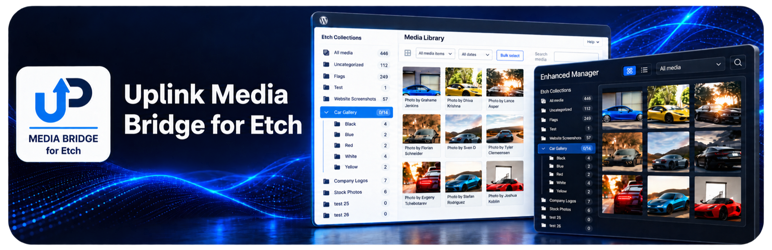
Uplink Media Bridge for Etch lets you organize Etch Collections directly in the WordPress media library. Manage images, curate collection order, build galleries, and create reusable Etch image loops without opening the builder.
Etch must be installed and active. Wicked Folders and HappyFiles are optional integrations, not requirements.
Choose your media workflow
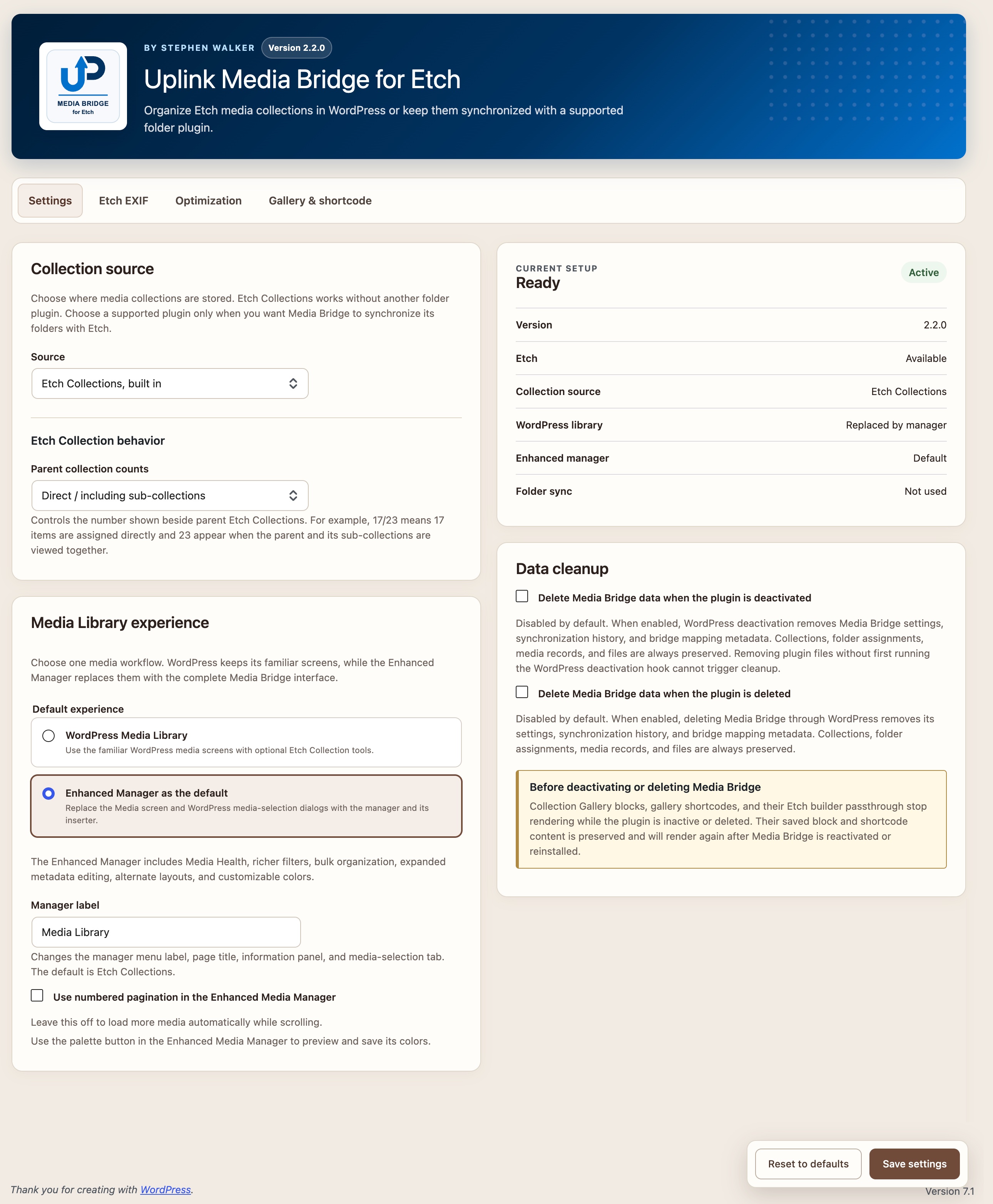
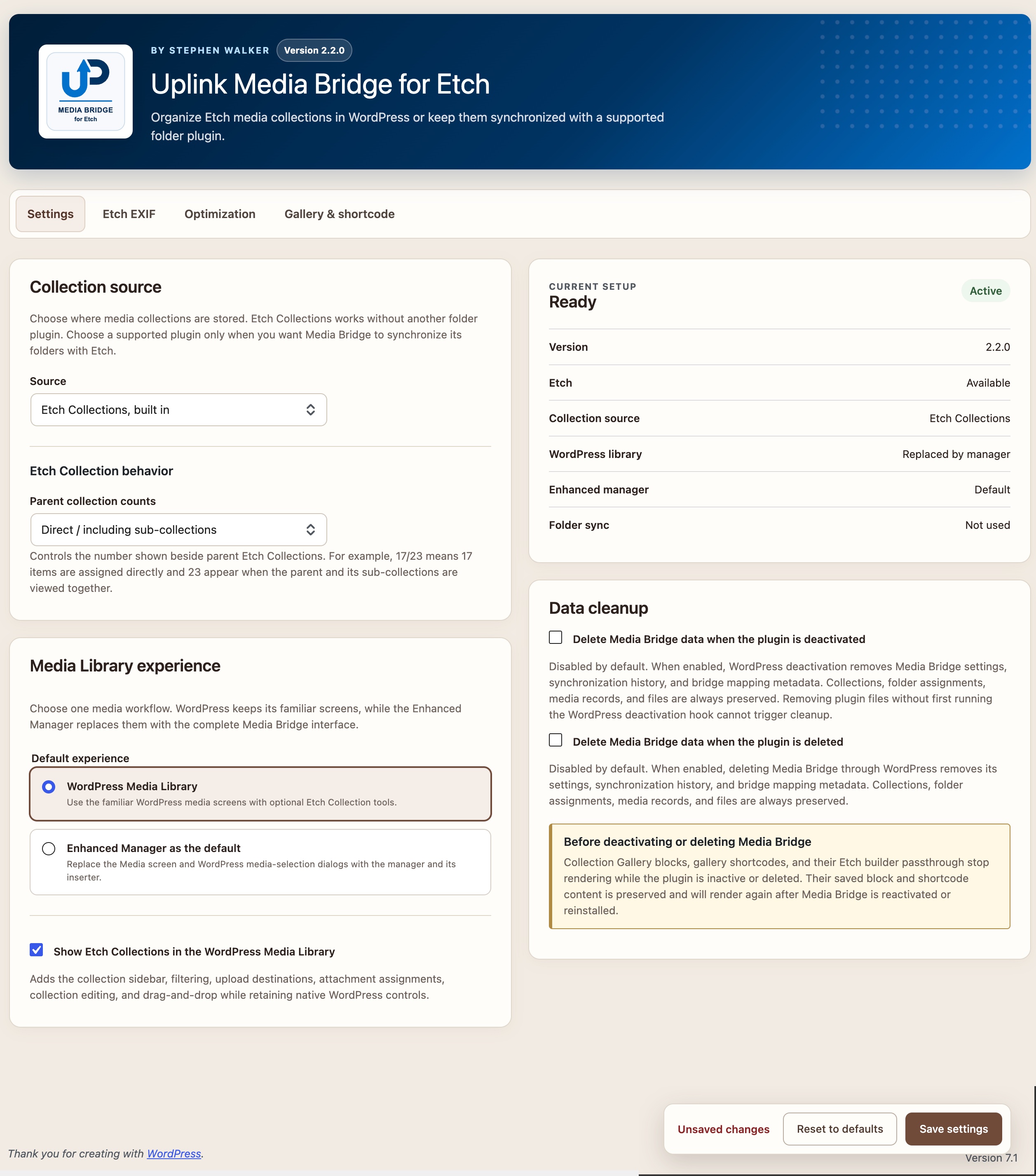
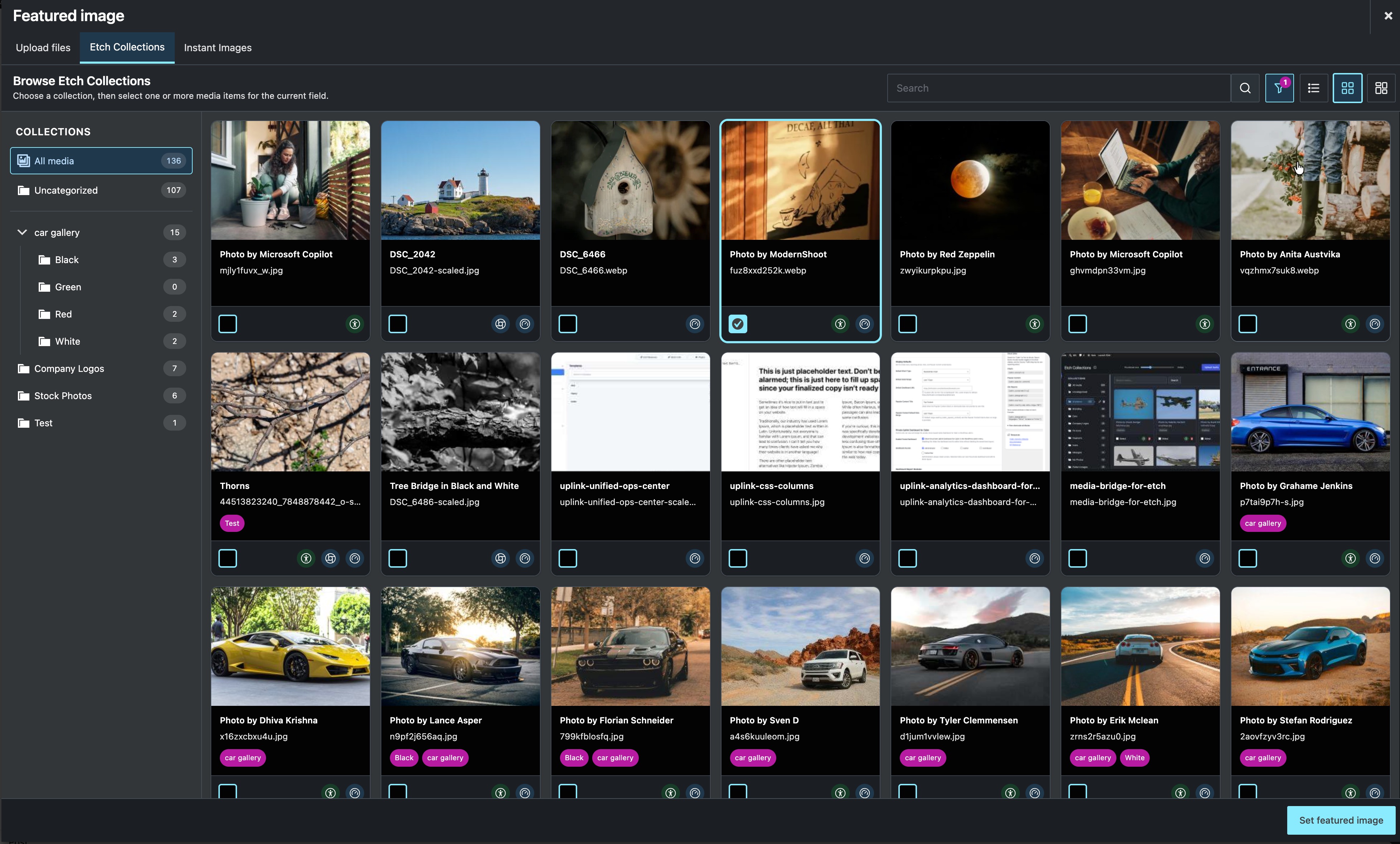
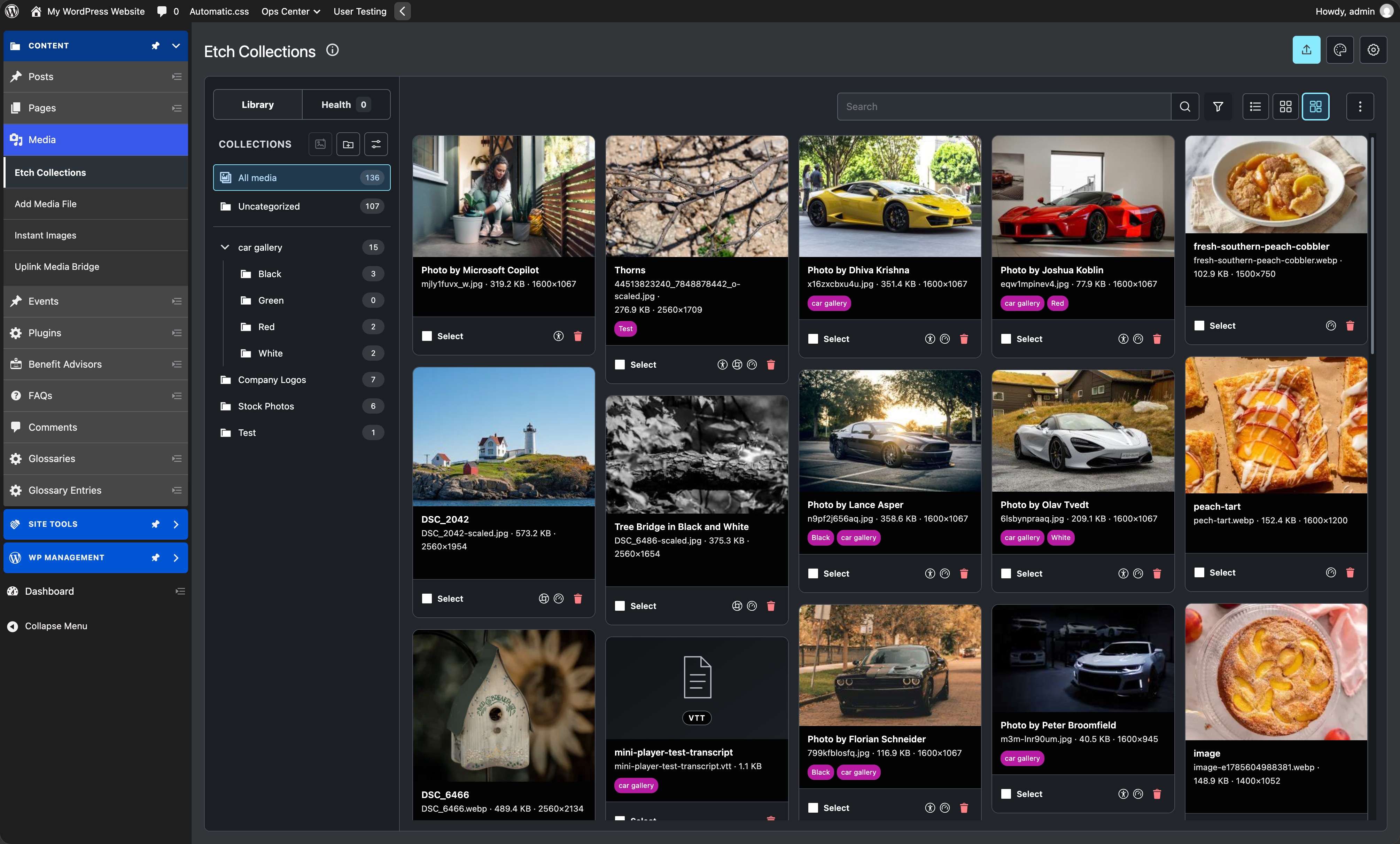
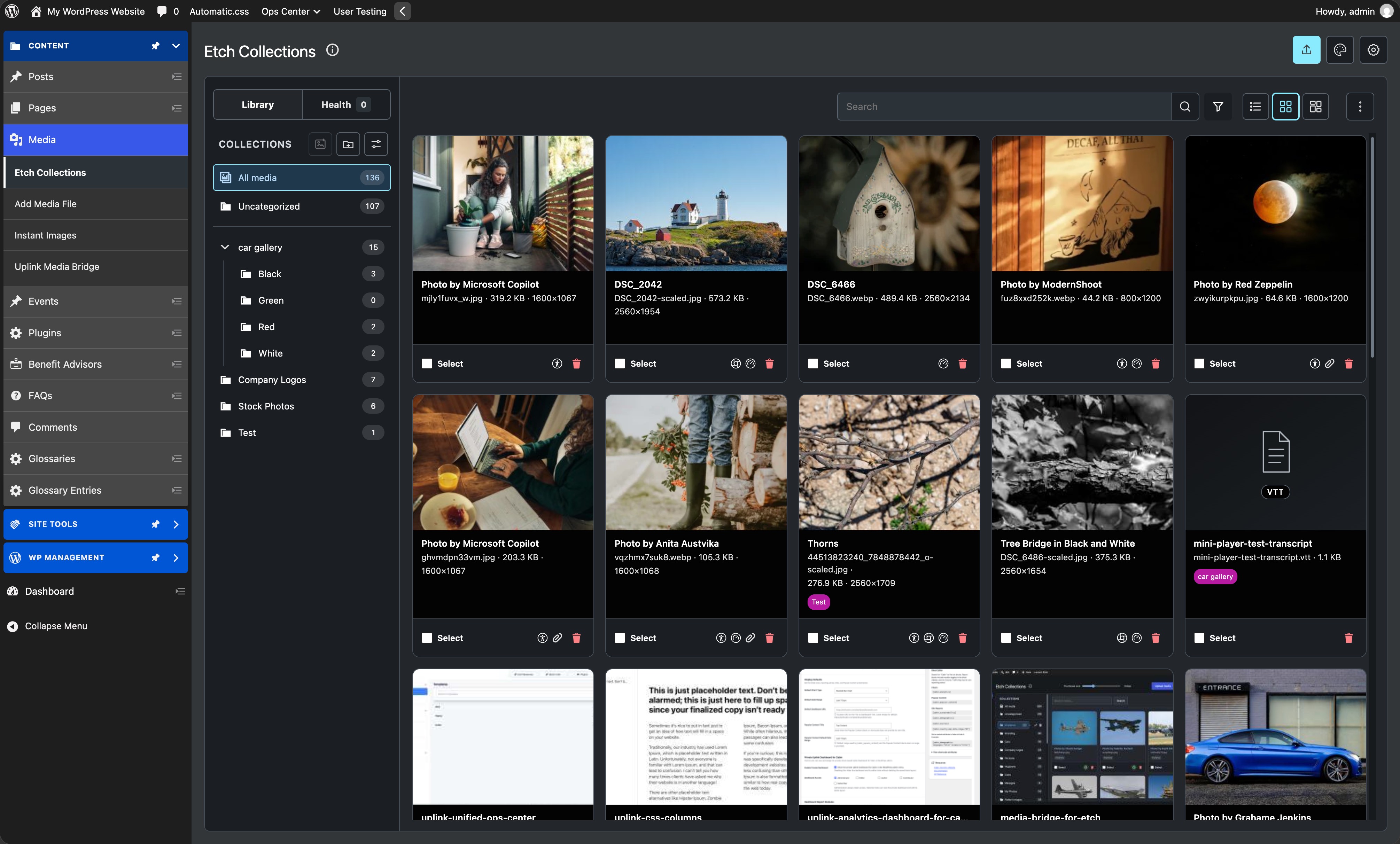
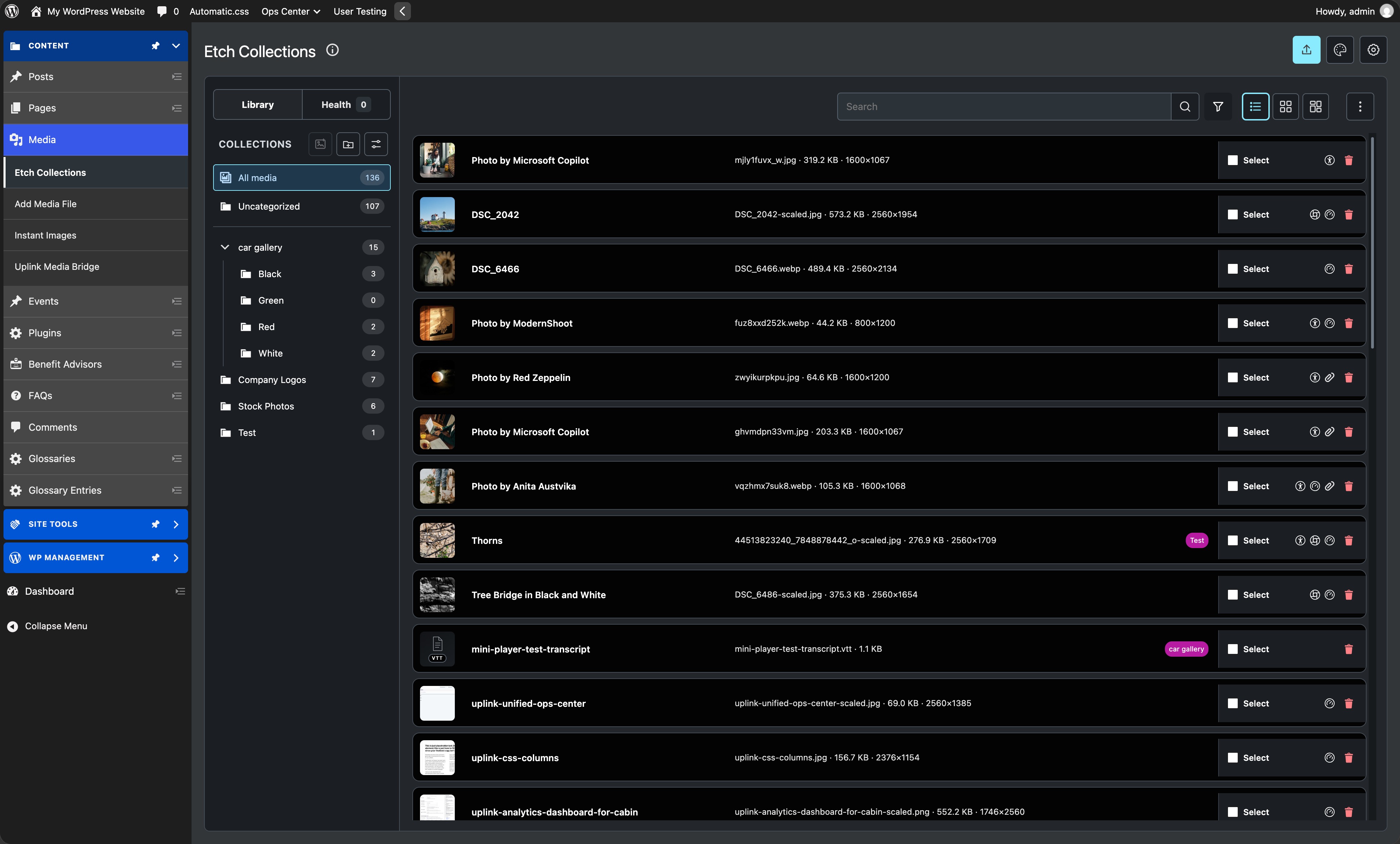
Use the WordPress Media Library with Etch Collection tools, or choose the Enhanced Media Manager with a customizable name, collection navigation, and grid, masonry, and list views. Settings are under Media > Uplink Media Bridge.
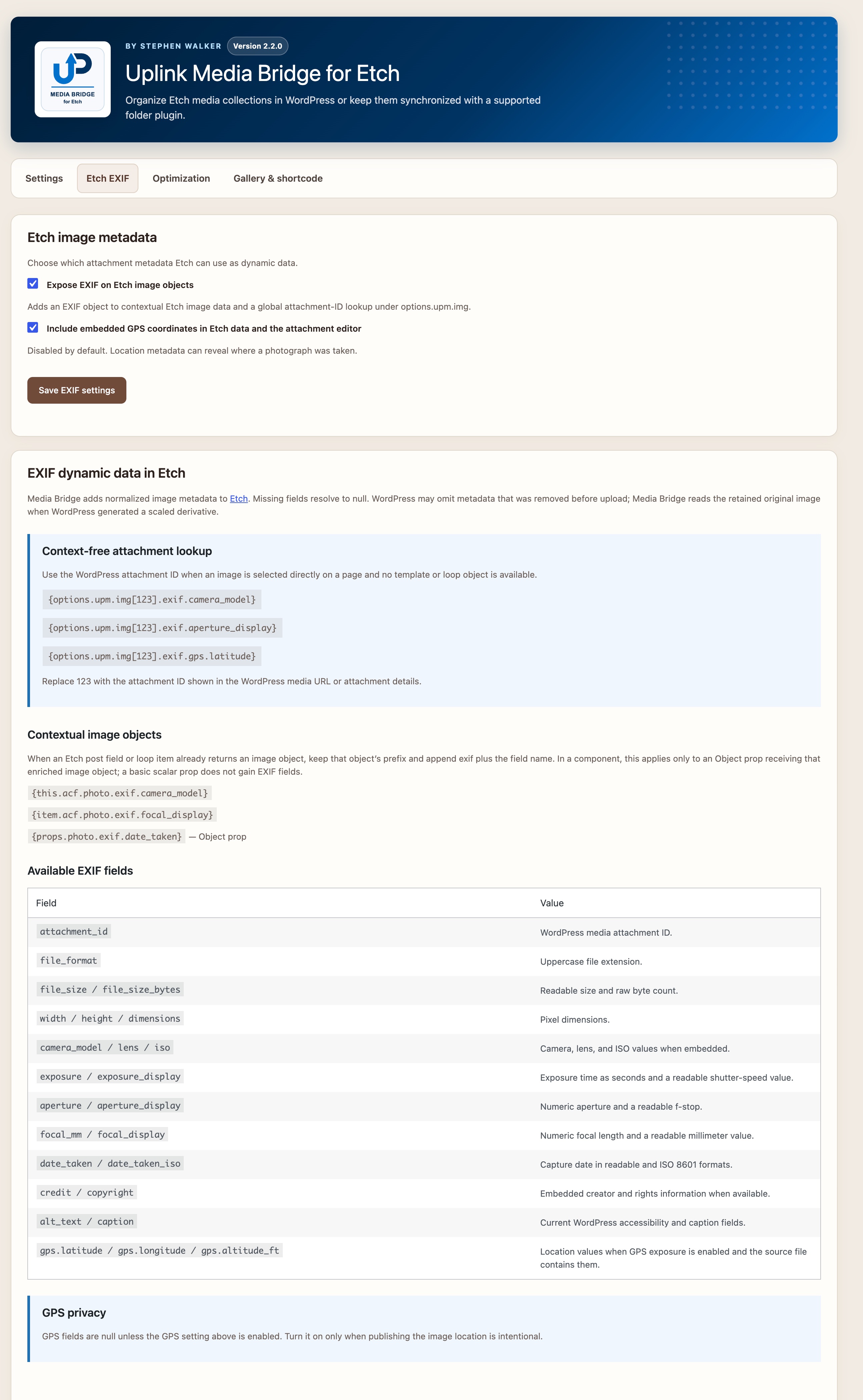
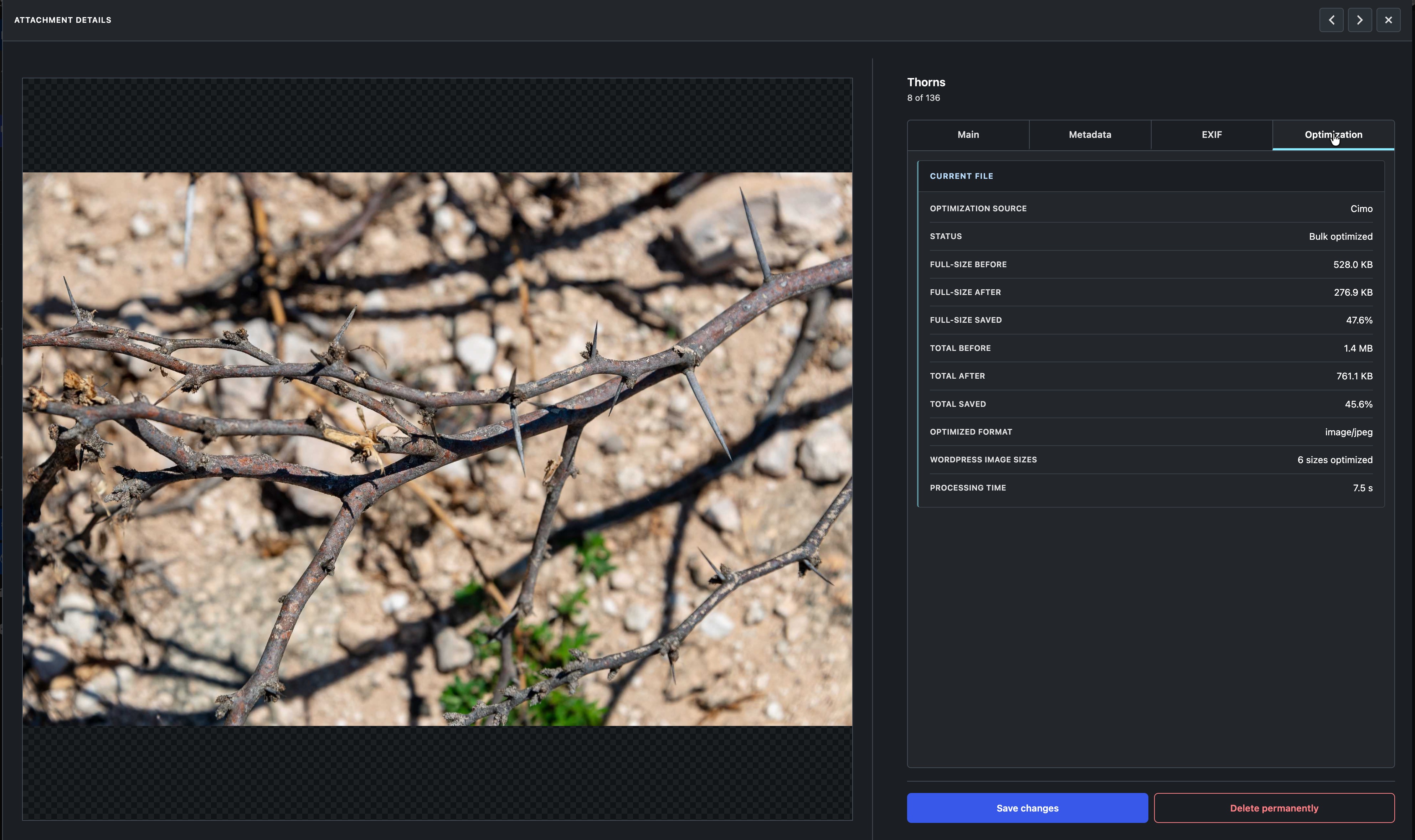
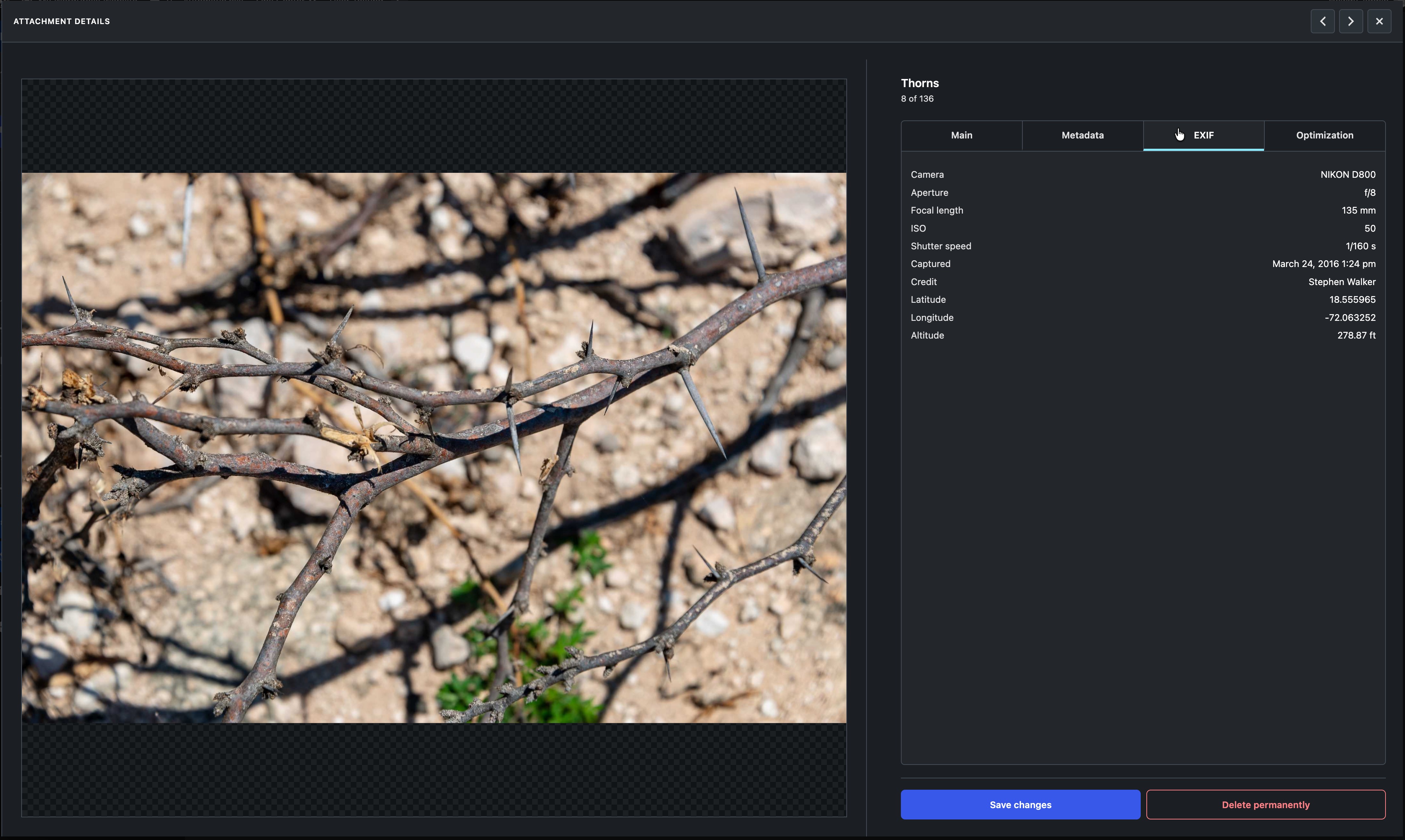
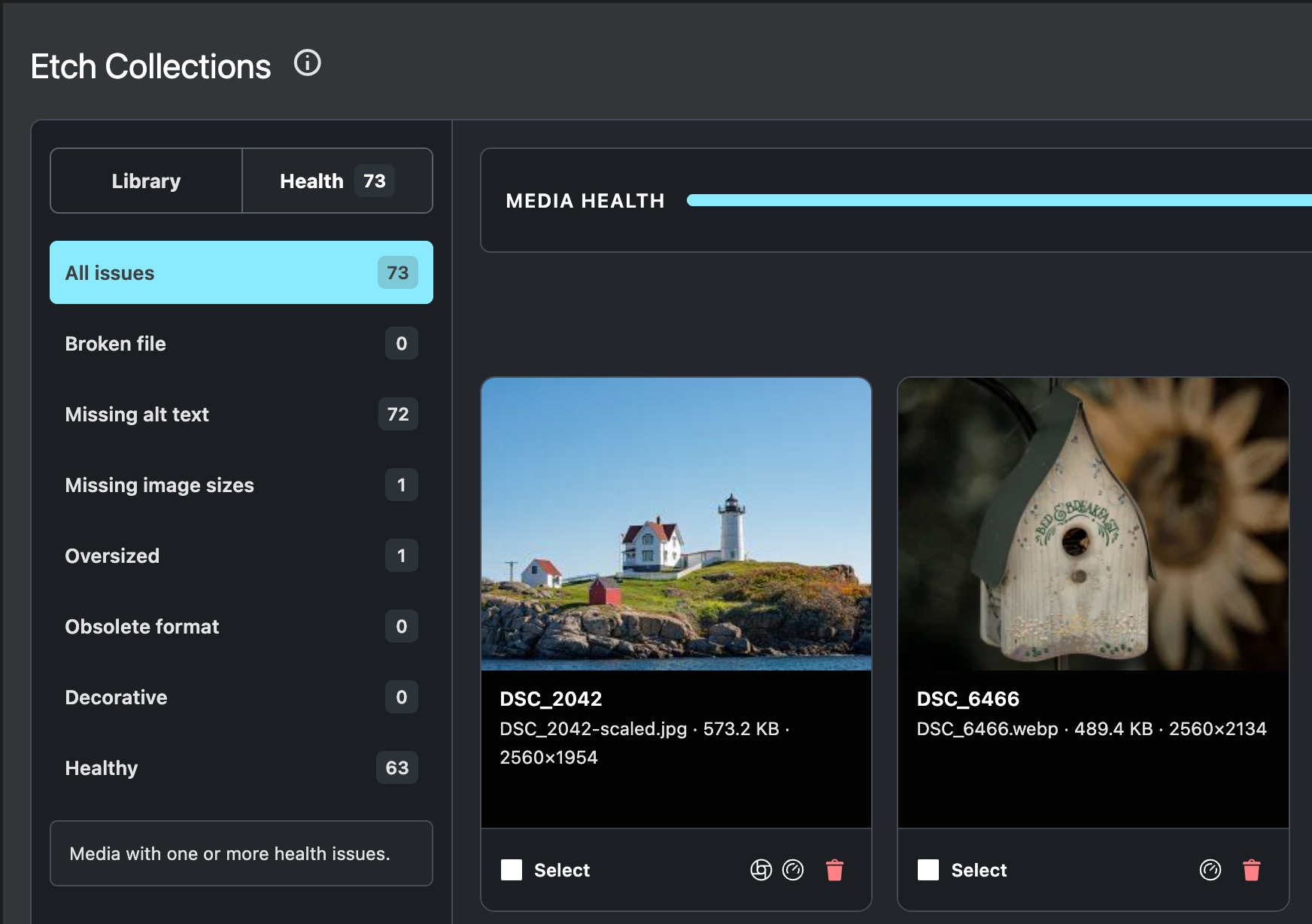
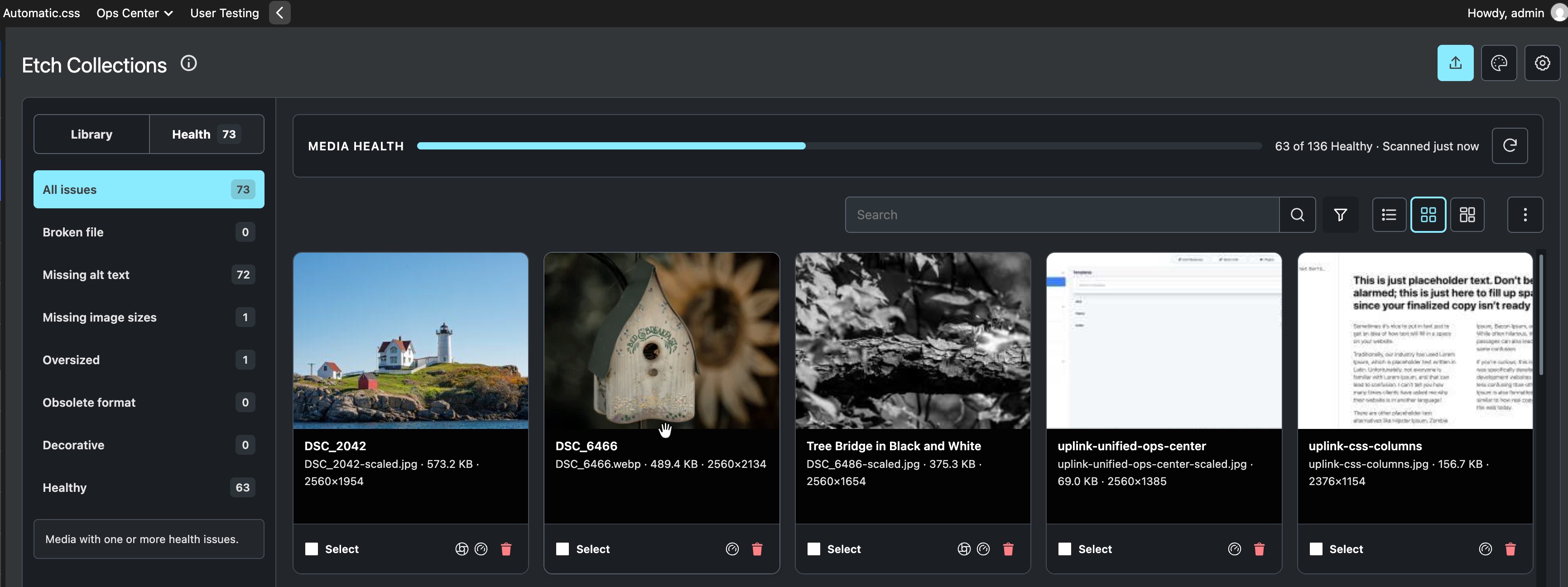
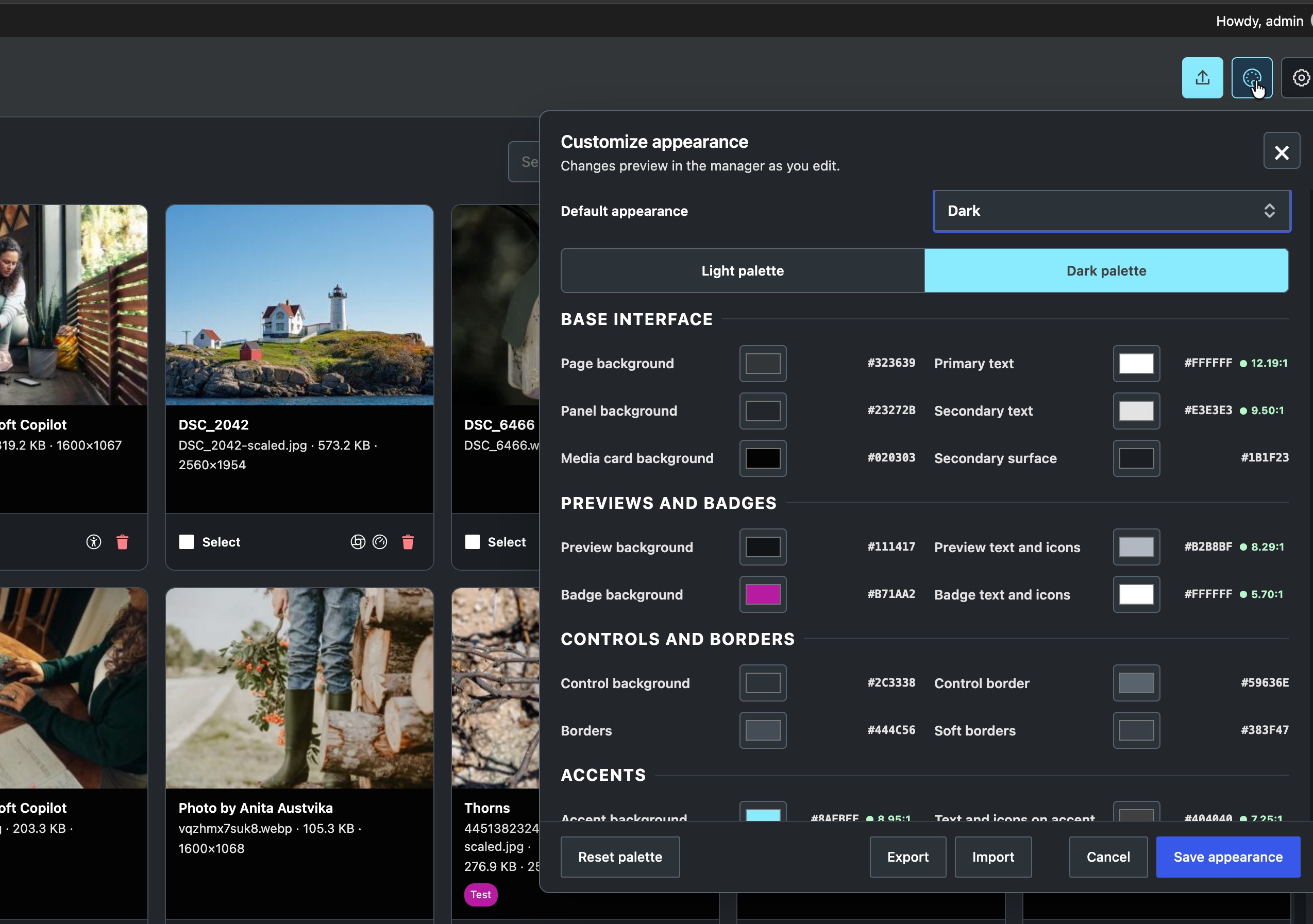
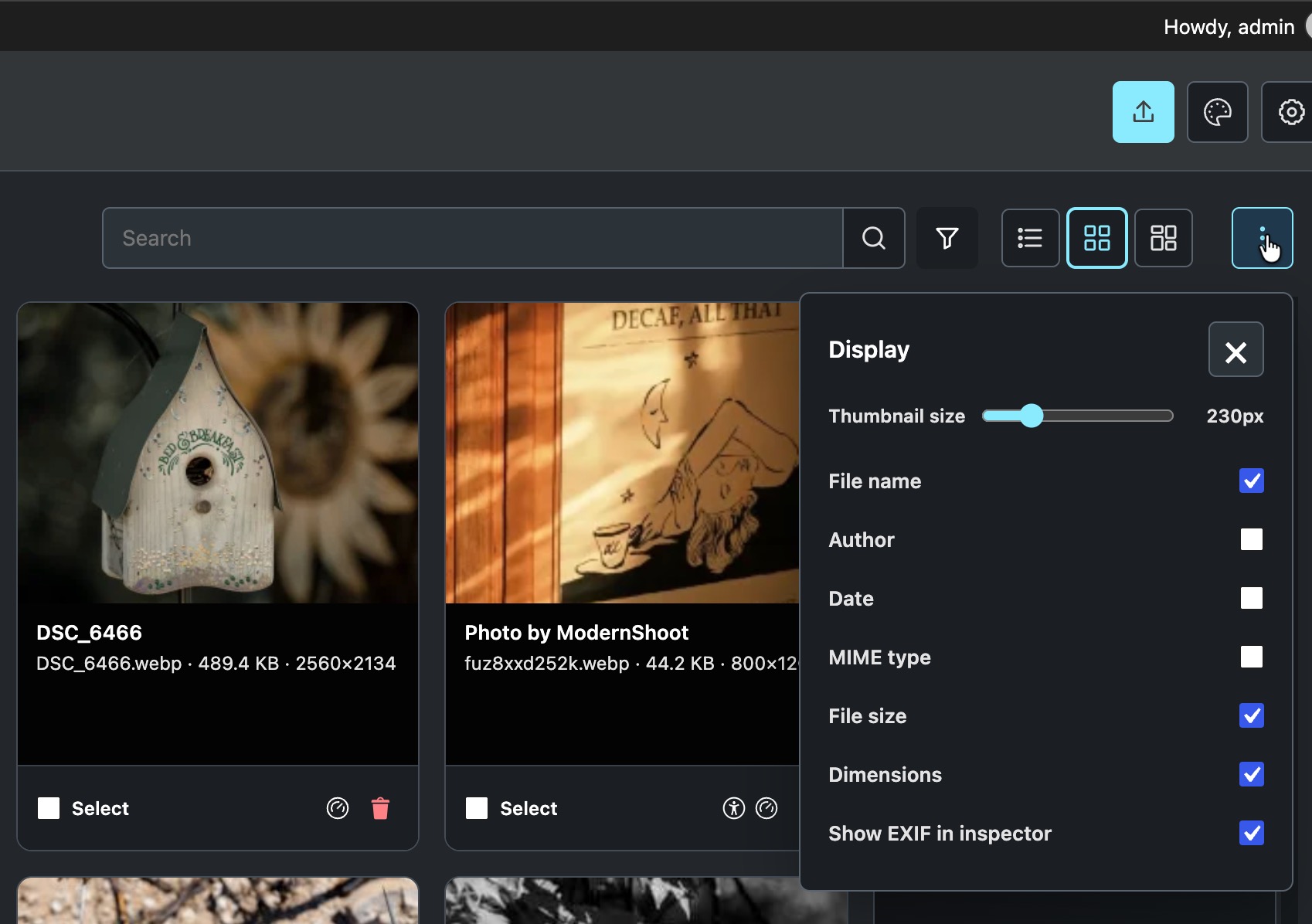
The Enhanced Manager includes search, filters, adjustable thumbnail sizes, bulk collection assignments, attachment editing, and light, dark, or automatic appearance. Media Health helps identify issues such as missing alt text, missing image sizes, and oversized files. Optional EXIF information shows available camera metadata.
Collections and custom image order
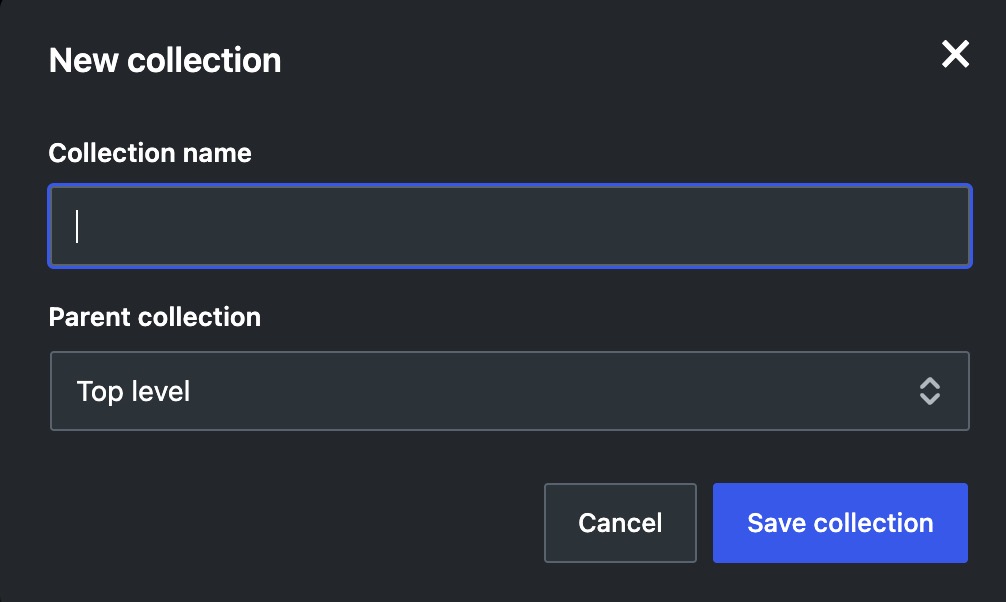
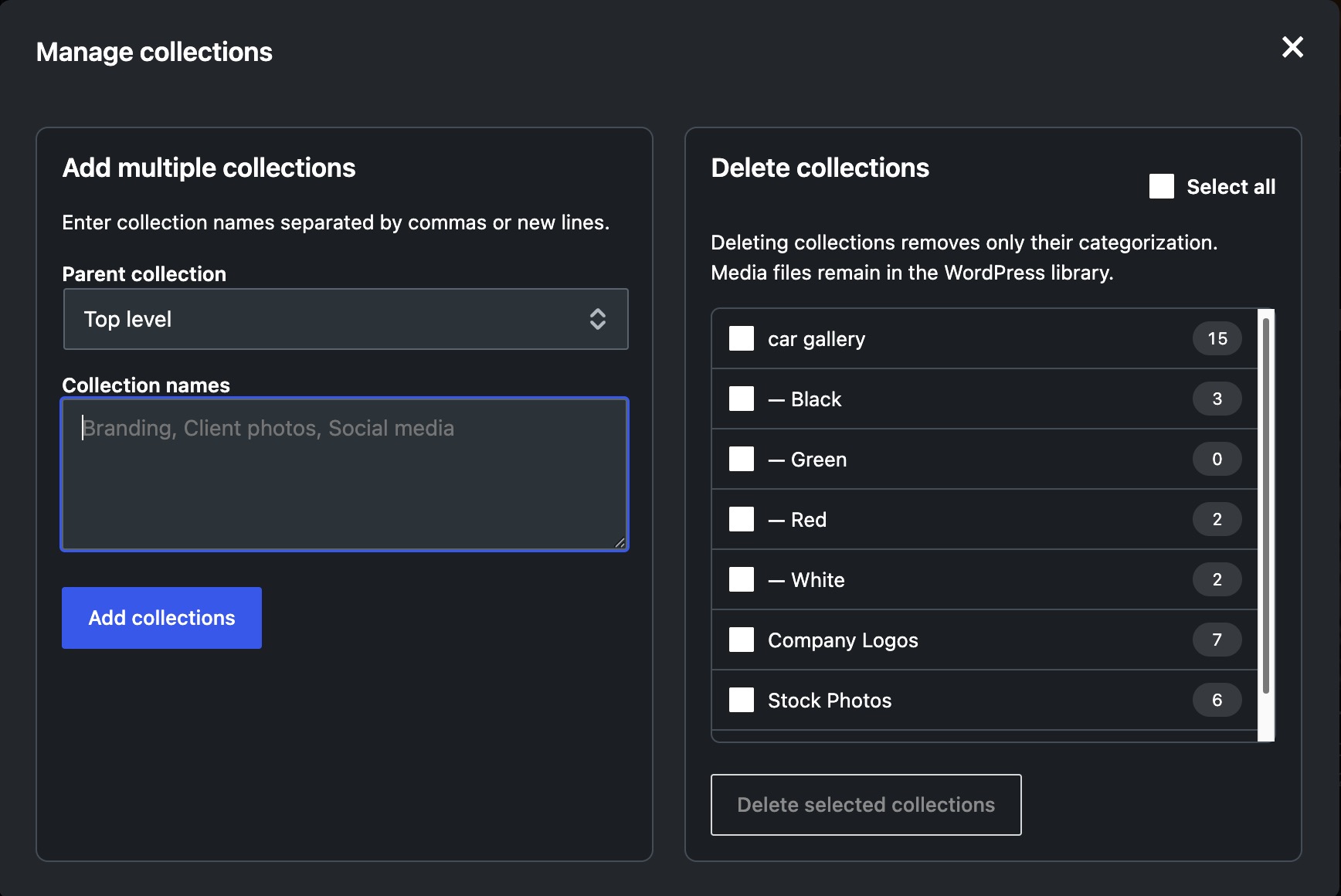
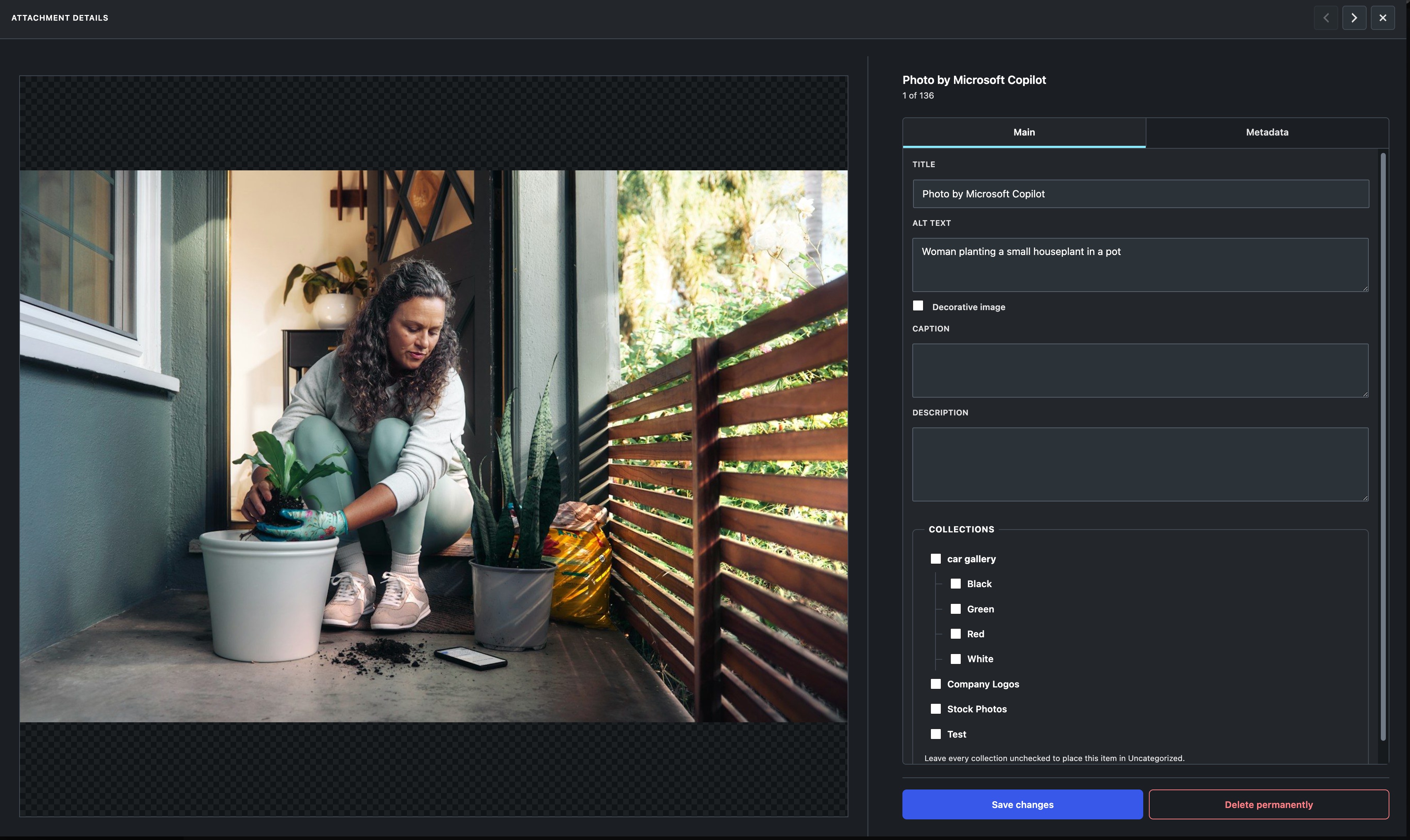
Create, rename, move, and delete collections. Assign an image to multiple collections and drag selected images into a collection. An experimental depth setting extends collection management to as many as five levels.
Open a collection and choose Reorder to arrange images by dragging individual images or a selected group. Each collection keeps its own order, so a shared image can appear in different positions in different collections. Changes save automatically. Keyboard users can move a focused image with Alt plus an arrow key.
Etch image loop generator
Choose a collection by name, select an image order and limit, and preview the generated query. Copy the query for manual use, or give the loop a name and add it to the Etch loop library. The generator is available in settings and the Enhanced Manager.
Generated loops read current collection membership and order as images are added, removed, or reordered. Existing loops are preserved. Saving to the Etch loop library requires administrator settings access.
Upload previews, renaming, and replacement
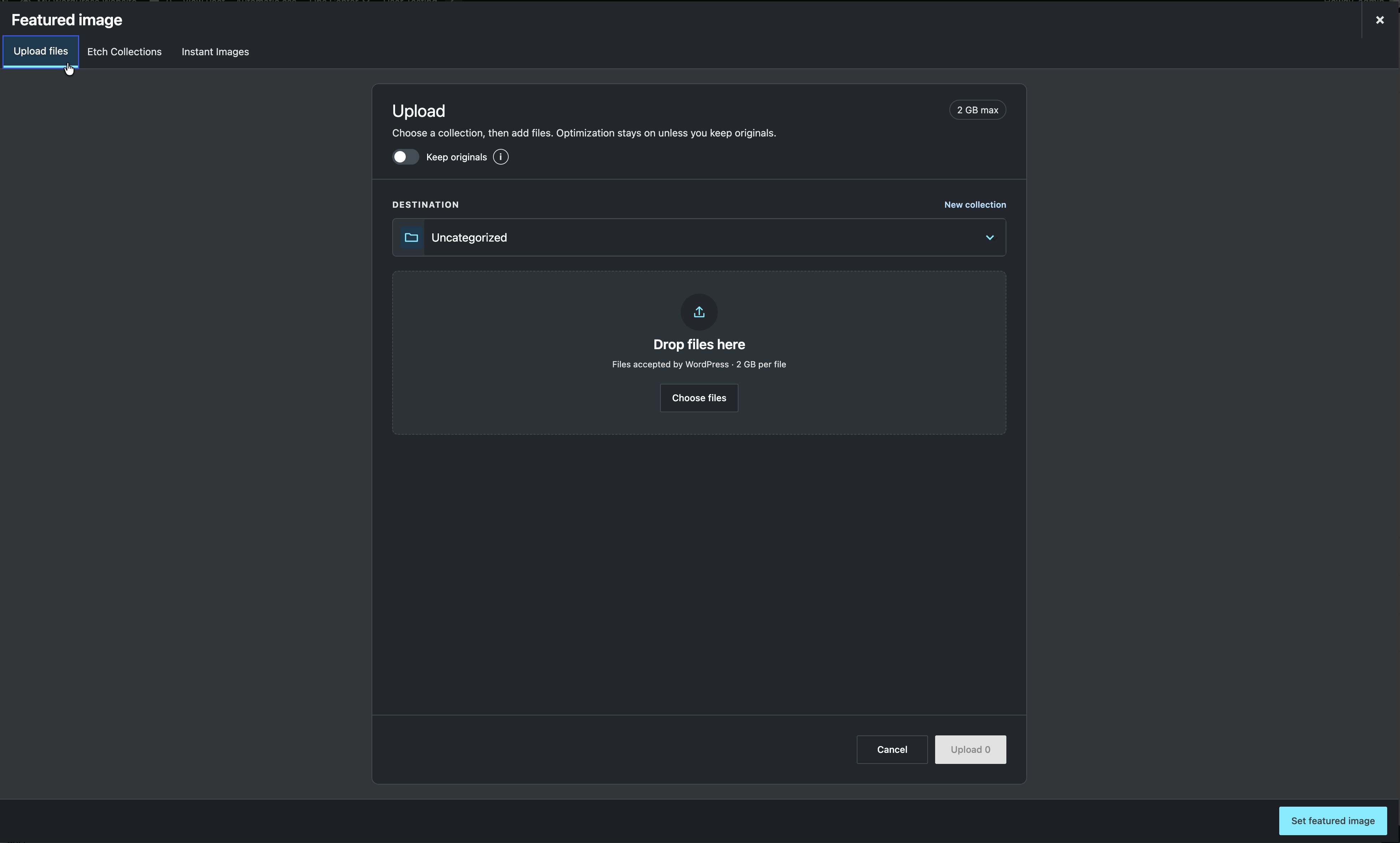
Preview selected images and edit filenames before uploading, including after supported pre-upload optimization. A selectable queue lets you review one image at a time. File extensions follow the resulting format. Keep originals bypasses supported pre-upload optimization.
File replacement is optional and disabled by default. Enable it in Settings > File replacement, or leave it off if another plugin handles replacement. Select one file and choose between:
- Keep the existing filename and URL. The replacement must have the same file type and extension after optimization. Existing thumbnail URLs are refreshed. Browser or CDN caches may need clearing.
- Use the replacement filename and type. This creates a new file URL and permits a different format. Old files are retained for links written directly into content; those links are not rewritten.
Both options preserve the attachment ID, title, alt text, caption, description, collections, and custom collection order. The dialog shows the retained filename when applicable and displays replacement errors directly in the dialog.
Collection galleries
Choose Collection Slider to show one or several images at a time, with responsive image counts, configurable navigation, autoplay, Play/Pause, and a visible countdown. Optional lightbox photo details display only selected, available EXIF fields.
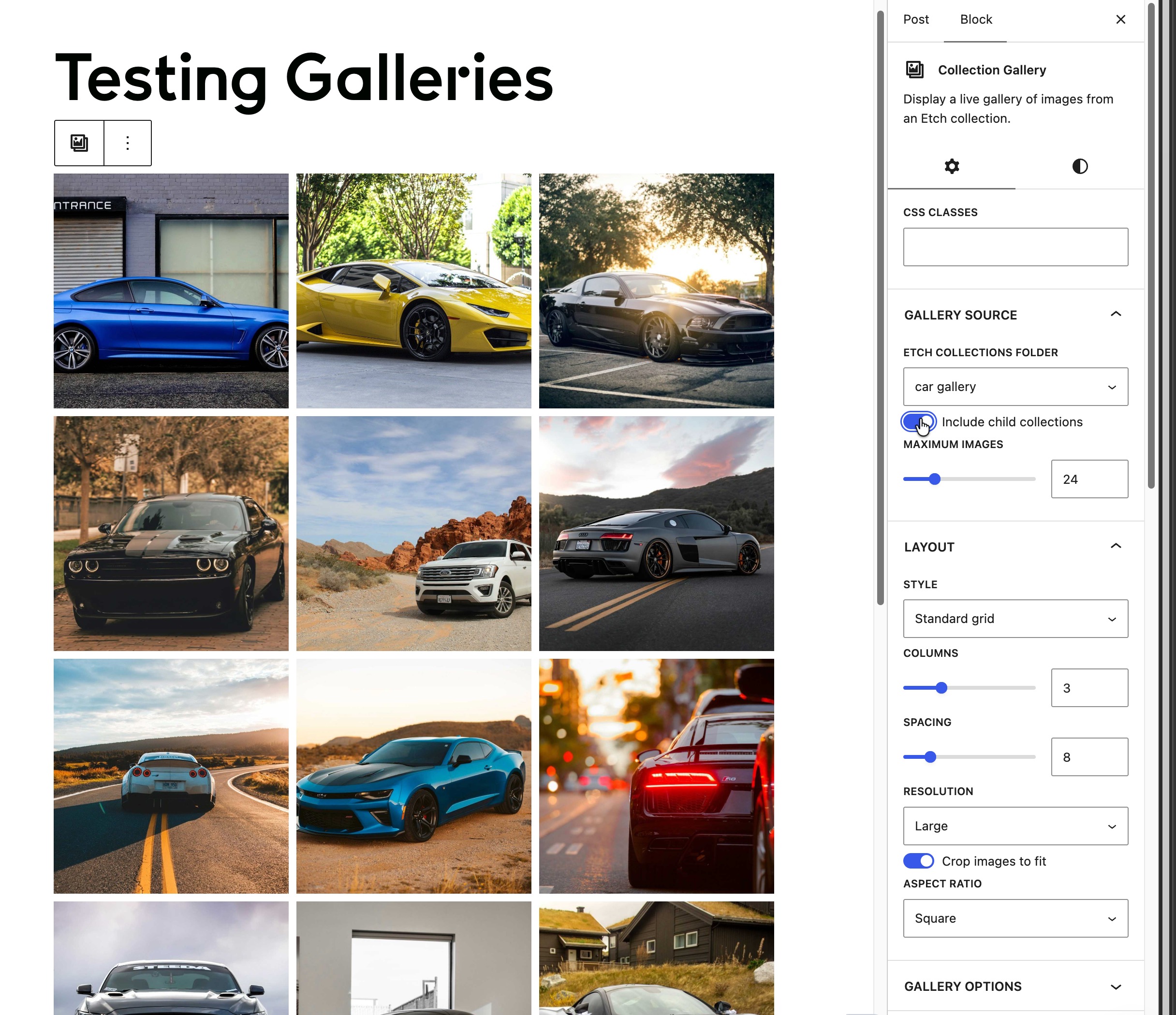
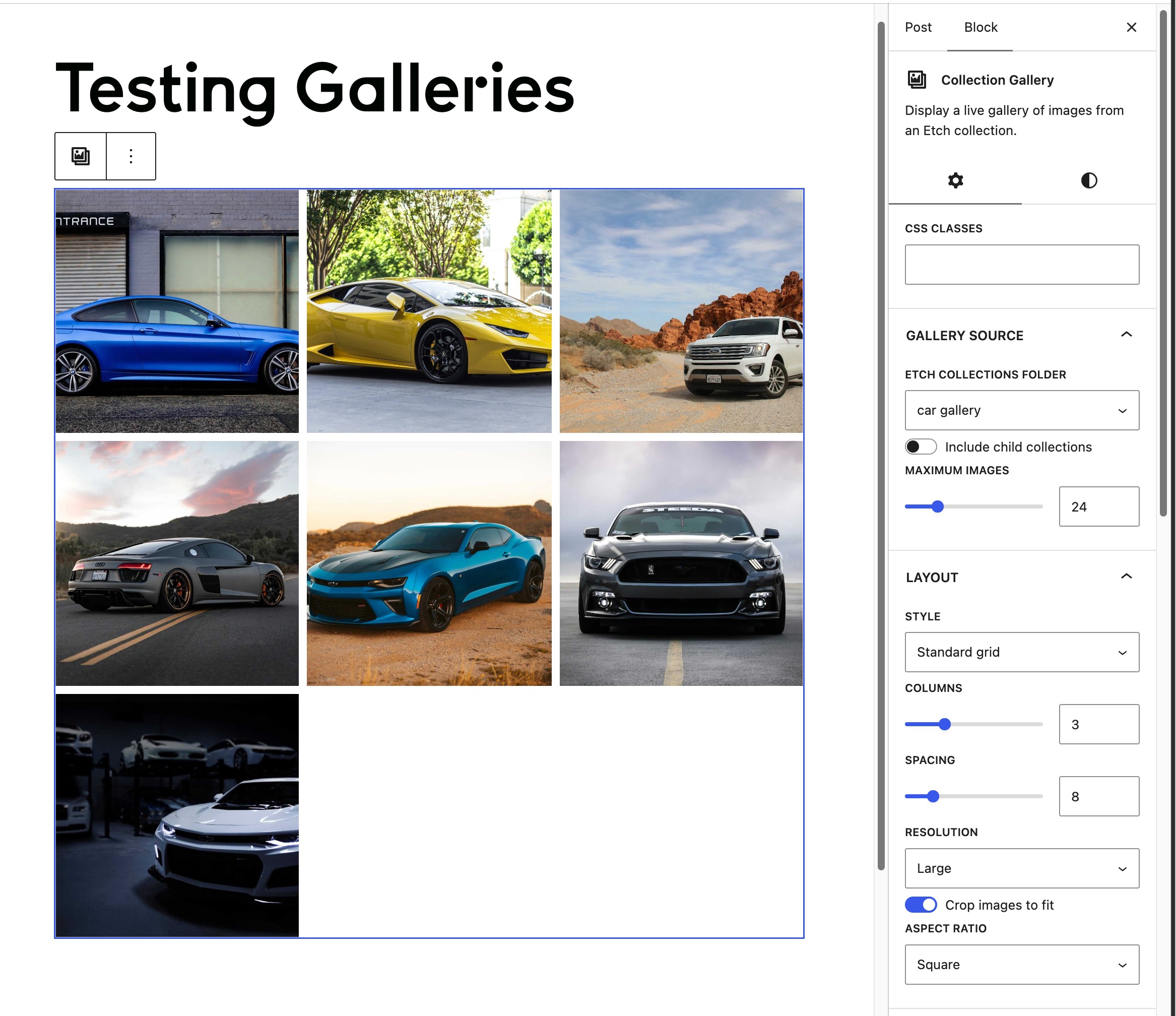
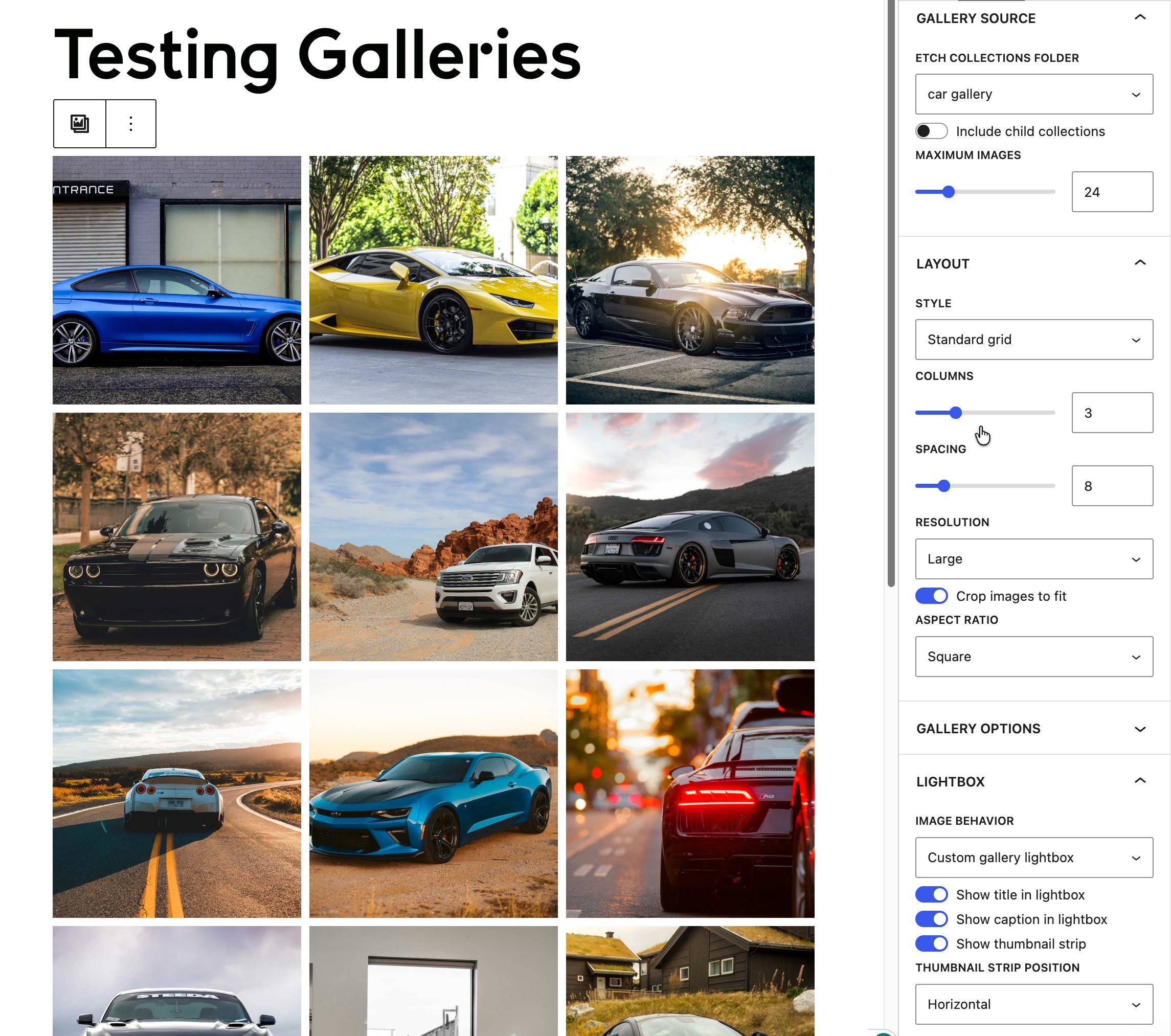
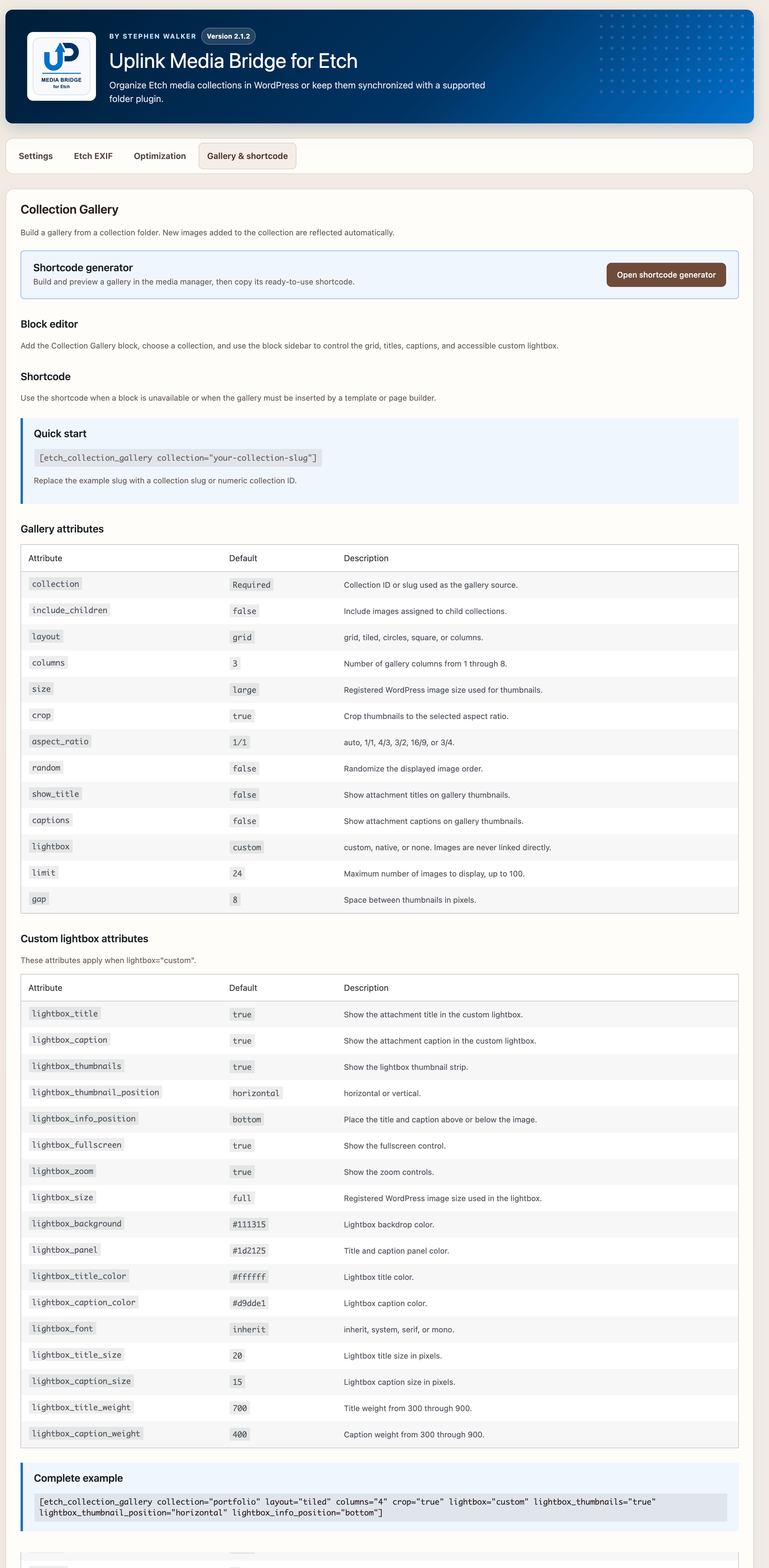
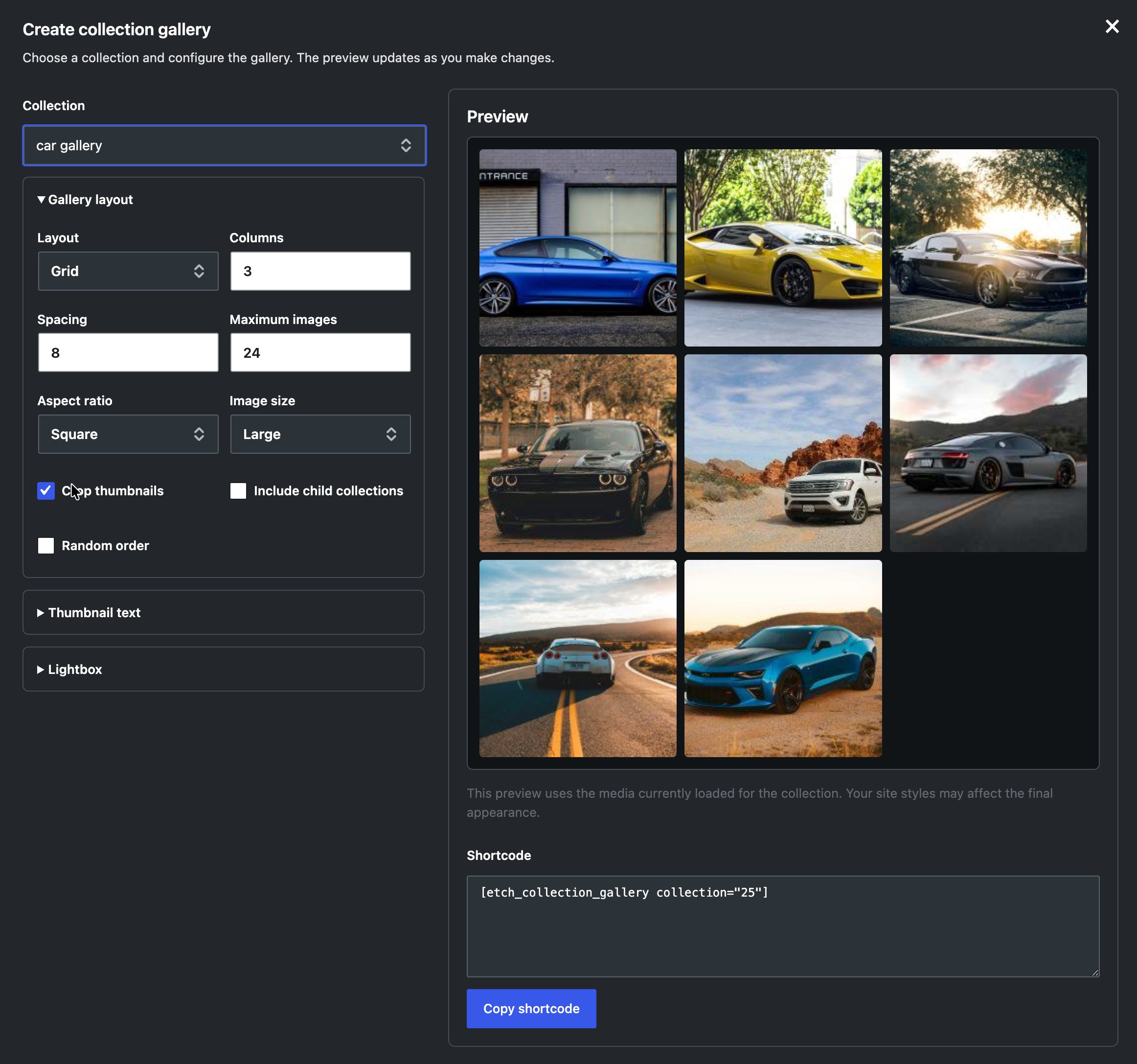
Display collection images with the Collection Gallery block or the [etch_collection_gallery] shortcode. Choose a layout, image size, captions, custom collection order, and lightbox settings. A shortcode generator provides a preview and copyable code.
Example: [etch_collection_gallery collection="portfolio" layout="grid" columns="3" limit="24"]
Optional integrations
Wicked Folders and HappyFiles can synchronize folder hierarchies and media assignments with Etch Collections. Settings label this feature 3rd party folder sync. Review migration and cleanup guidance before removing an existing folder provider.
Media Bridge also adds an optional uniform square-grid view with adjustable thumbnail widths to the Etch Asset Manager. This does not add collection-specific sorting to that manager.
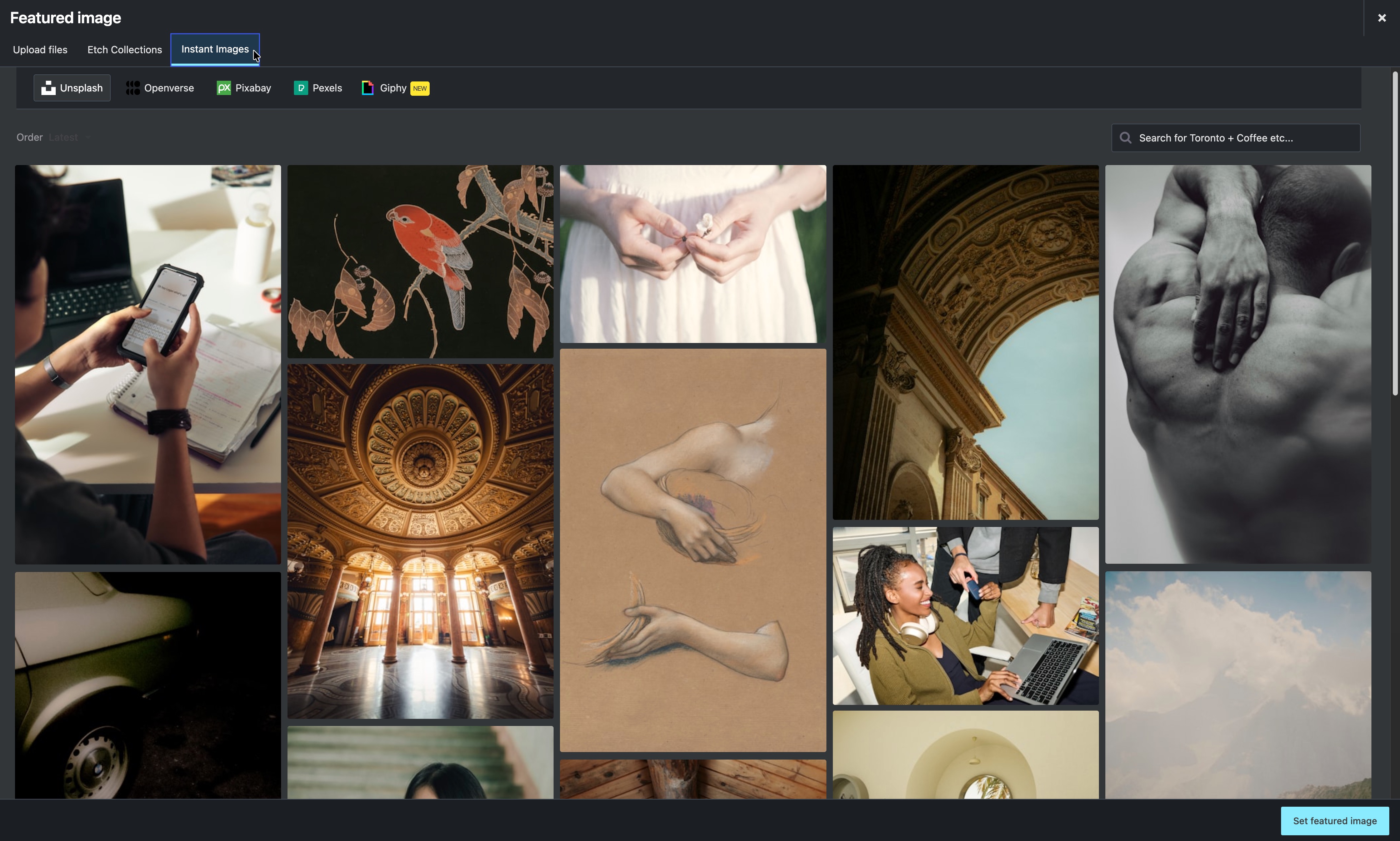
Supported Cimo pre-upload optimization runs through the shared upload workflow. Media Bridge does not provide its own image compression engine. Instant Images and Ops Center integrations are available when those plugins are installed.
Permissions and data
Media Bridge respects WordPress attachment permissions and Etch taxonomy capabilities. Collection management and media editing remain limited to users with the required access.
Deactivation and uninstall cleanup options are available in About. Review them before enabling cleanup, especially when using a third-party folder provider. Back up the site before migration or cleanup. Deactivating Media Bridge stops its gallery blocks and shortcodes from rendering; saved content remains available when the plugin is reactivated.
Documentation
Read the complete documentation for migration, permissions, EXIF, shortcode attributes, integrations, and data retention details.
Configurable Collection Slider
Insert Collection Slider and select a collection. Choose one image for a single-image slider or up to eight for a carousel. Tablet and mobile counts can reduce the desktop count. Navigation button settings control position, alignment, shape, and text or icons. Playback settings add optional autoplay, a two-to-twenty-second interval, and a visitor Play/Pause button. Autoplay pauses on hover or when offscreen, stops for manual navigation and keyboard focus, and respects reduced motion. Shortcodes also accept autoplay=”true” interval=”5000″. Existing single-image sliders retain their one-image behavior. The Etch gallery dialog provides the same settings; its preview remains static.
Example: [etch_collection_gallery collection=”123″ layout=”slider” slides=”4″ carousel_tablet=”2″ carousel_mobile=”1″ nav_position=”bottom” nav_alignment=”end” nav_shape=”pill” nav_content=”icon”]
Screenshots
Blocks
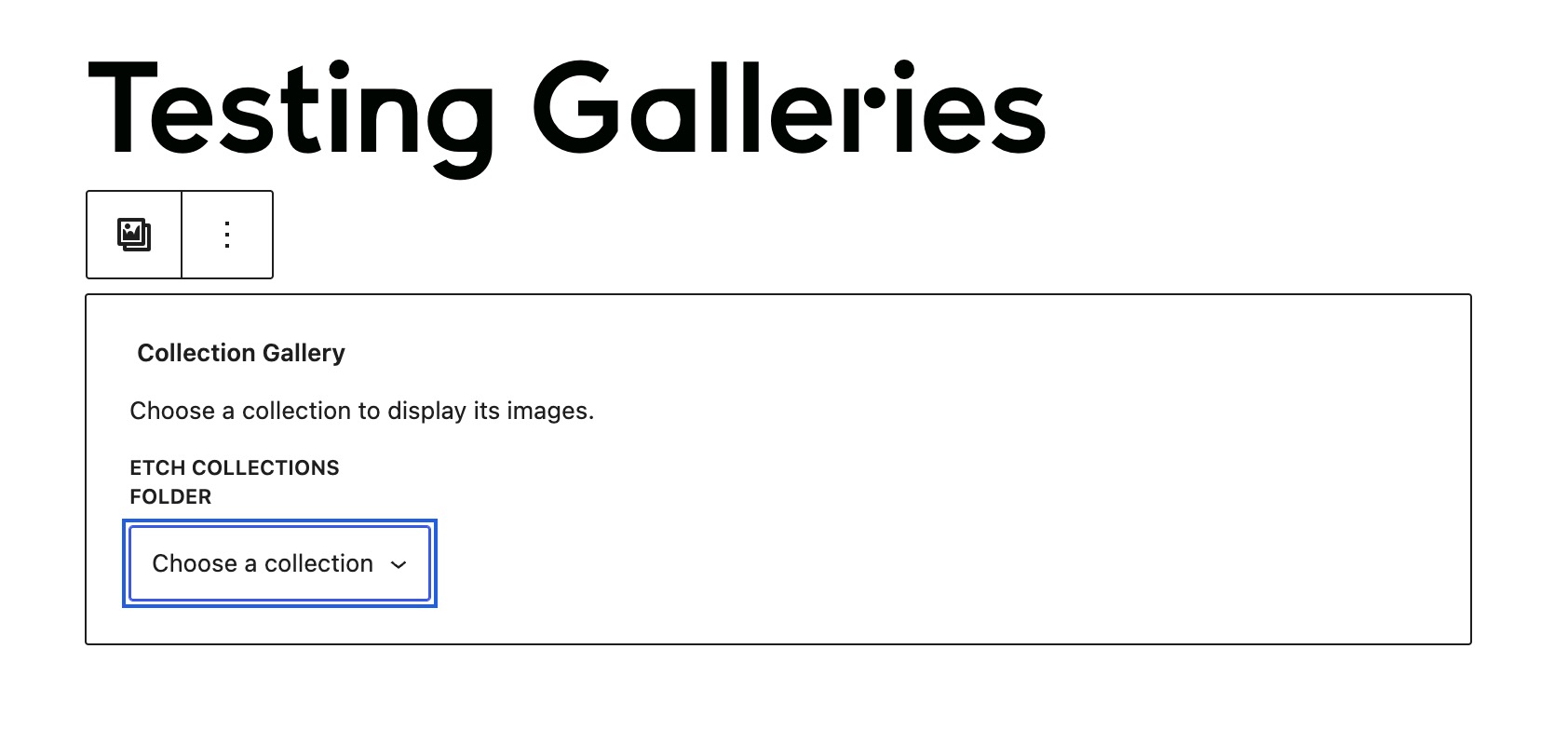
This plugin provides 1 block.
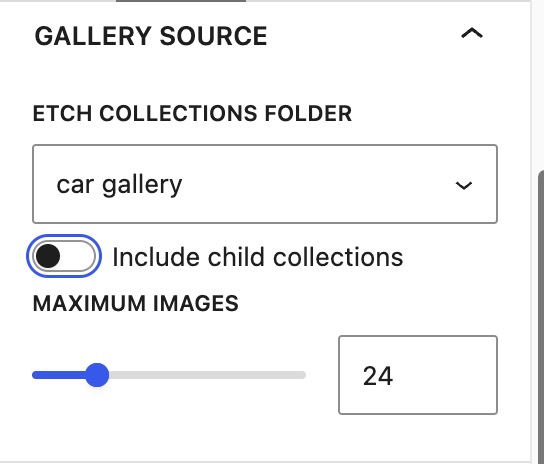
- Collection Gallery Display a live gallery of images from an Etch collection.
Installation
- Install and activate Etch.
- Install and activate Uplink Media Bridge for Etch.
- Open Media > Uplink Media Bridge to choose the media workflow and optional integrations.
- Open the media manager to organize collections and images.
Reviews

Contributors & Developers
“Uplink Media Bridge for Etch” is open source software. The following people have contributed to this plugin.
Contributors
Translate “Uplink Media Bridge for Etch” into your language.
Interested in development?
Browse the code, check out the SVN repository, or subscribe to the development log by RSS.
Changelog
2.5.4
- Make segmented pills and dots clickable and keyboard-accessible, with an active-position indicator. Selecting a position pauses autoplay and jumps to that image position.
- Add an inline indicator layout for larger screens, with indicators below the buttons on mobile.
- Add indicators-left/buttons-right and indicators-right/buttons-left layouts.
- Add left, center, or right slide-count placement for opposite layouts.
2.5.3
- Add a Show Play/Pause button toggle in Slider Controls and the Etch gallery settings.
- Keep autoplay independent of button visibility. Hiding Play/Pause also hides its attached line or circular progress indicator.
- Preserve visible Play/Pause controls for existing sliders.
2.5.2
- Add progress indicator styles: full-width bar, segmented pills, dots with an active pill, line beneath Play/Pause, and circular timer.
- Add a progress visibility toggle while retaining independent playback and progress color settings.
- Add status-left/buttons-right and status-right/buttons-left layouts with grouped controls.
- Add separate button text and icon sizing, with a 30px minimum button size that grows with its content.
2.5.1
- Add a fullscreen lightbox slideshow with Play/Pause, Previous/Next, autoplay, independent timing, and optional looping.
- Add an optional Slider Controls button that launches the fullscreen slideshow from the current image.
- Fade slideshow controls after three seconds of inactivity and restore them on pointer, touch, or keyboard activity. Keep controls visible while paused.
- Pause in-page playback when the lightbox opens and respect reduced-motion preferences for automatic playback.
2.5.0
- Add a Collection Slider preset with responsive single-image and multi-image layouts using live collection data.
- Add configurable navigation buttons, image count placement, autoplay, Play/Pause, and a visible countdown strip with a configurable color.
- Add a lightbox photo-details popover with selectable EXIF fields, photo-title headers, and a scrollable metadata area.
- Group slider controls, lightbox styles, and thumbnail colors into collapsed settings panels with white headings and shaded open panels.
- Use the new gallery-thumbnail icon for the Collection Slider preset.
- Avoid EXIF file-read warnings when an attachment file is missing.
2.4.0
- Adds rename-before-upload with image previews and a selectable file queue, including optimized images.
- Adds optional file replacement, disabled by default, using the shared upload and optimization workflow.
- Offers a choice to keep the existing filename and URL or use the replacement filename and type. Attachment details, collection membership, and custom order are preserved.
- Adds clear filename confirmation and persistent in-dialog replacement errors. Replacement dialogs follow the Media Library appearance.
- Adds copyable relative and full file paths to attachment metadata, compact action buttons, and a Save button that enables only after changes.
- Reorganizes Settings into clearer groups and moves setup, data cleanup, and optimization information to About.
2.3.0
-
Uses dismissible top-right toast notifications with an five-second timeout for action feedback.
-
Adds collection-specific image ordering and custom-order support for Etch loops and galleries.
- Includes the named loop generator in settings and directly in the enhanced media view, with query preview and copying.
- Refines drag feedback and the loop dialog controls.
2.2.17
- Open the Etch loop generator directly from the enhanced media view with the current collection selected.
2.2.16
- Smoother image reordering with an animated insertion line, endpoint markers, and group drag counts.
2.2.15
- Shows generated loop queries in a responsive code panel with syntax highlighting and a Copy query button.
- Requires an explicitly entered name before adding a loop to Etch; manual query copying does not require a name.
2.2.14
- Adds an Etch loops settings tab with collection-name selection, image sorting, child collection inclusion, and image limits.
- Previews matching image counts and saves named, reusable loops directly into the Etch loop library.
- Preserves existing loops and prevents accidental duplicate or conflicting saves.
2.2.13
- Adds an explicit Reorder mode with drag-and-drop and keyboard image ordering in enhanced collection views.
- Stores independent image sequences for each collection without changing attachment menu_order or taxonomy membership.
- Adds collection_order sorting for Etch attachment queries and Custom order in the WordPress and Etch gallery controls.
- Preserves unseen items when reordering filtered or partially loaded collections.
2.2.12
- Adds remembered 16:9, 4:3, and 1:1 thumbnail aspect ratios to uniform grids in the Enhanced Manager and Etch Asset Manager.
2.2.11
- Fixes top-level collection creation in the single and bulk collection tools.
2.2.10
- Adds an optional uniform square-grid with remembered thumbnail resizing to the Etch builder Asset Manager, enabled by default.
2.2.9
- Fixes Site Icon and Site Logo media selection in the WordPress Appearance editor when the Enhanced Manager is active.
2.2.8
- Adds an Experimental Etch Collection depth setting for managing up to five levels in the WordPress media interfaces. Etch 1.6.8 displays deeper collections, but its Asset Manager cannot create or move them beyond two levels.
2.2.7
- Refreshes upload destinations after collection changes so newly created folders are immediately available without reloading the page.
2.2.6
- Saves title, alt text, decorative state, caption, and description changes made in the Enhanced Manager inserter automatically and before insertion or attachment navigation.
2.2.5
- Adds a Suspected duplicates view to Media Health for byte-identical attachments, with filenames shown directly on health cards and available in full on hover.
- Expands media search to match WordPress attachment fields and filenames, including filename wildcard searches such as
*-1.png. - Reports failed uploads in the Enhanced Manager and lets the remaining upload queue continue instead of leaving the media dialog stalled.
2.2.4
- Keeps uploads in the Enhanced Manager instead of briefly switching to the native WordPress media grid, with matching upload progress feedback.
2.2.3
- Fixes ACF and Meta Box taxonomy image selection and replacement while preserving each media workflow’s expected controls.
2.2.2
- Limits direct EXIF reads to supported JPEG and TIFF source files, preventing warnings for PNG, WebP, and AVIF images.
2.2.1
- Uses raw attachment titles and decoded fallback filenames in the Enhanced Manager, Etch dynamic data, and collection galleries.
2.2.0
- Adds Etch Collections to the native WordPress media library and media selector, including filtering, upload destinations, collection management, assignment controls, and drag-and-drop organization.
- Adds a clear choice between the familiar WordPress Media Library and the complete Enhanced Manager workflow.
- Extends native attachment editing with Etch Collection assignments, registered custom fields, direct image editing, and a return path to the originating media screen.
- Reorganizes settings around collection source and media workflow, with persistent save controls, unsaved-change warnings, and reset-to-default support.
2.1.2
- Adds list, grid, and masonry controls to the media inserter and shares the saved view with the manager.
- Matches the inserter search and toolbar layout to the manager, including live search and responsive wrapping.
- Keeps the Images filter active for featured-image fields and sorts MIME types alphabetically by subtype.
- Moves the selection control into the card footer and aligns it with the media status icons.
- Clears stale featured-image selections after the current image is removed.
2.1.1
- Shows the currently assigned featured image as selected and visible without opening the Details panel.
- Removes the first-click delay when selecting media from a large library.
- Keeps parent disclosure controls aligned with top-level folder icons in the manager and inserter.
- Removes an unrelated legacy optimizer note from the plugin description.
2.1
- Detects and reports optimization metadata recorded by Cimo without depending on Cimo’s internal PHP classes.
- Records successful Etch attachment replacements so later optimization details can be displayed.
- Distinguishes the optimized full-size image from aggregate storage across generated WordPress image sizes.
- Preserves earlier Cimo or Etch results as clearly labeled optimization history when another optimizer subsequently replaces the attachment.
- Moves optimization history into a contextual inspector tab and identifies WordPress-generated image sizes processed by Cimo.
- Visually separates the current file from earlier optimization stages in both attachment inspectors.
- Improves attachment inspector sizing on smaller screens and corrects its semantic heading order.
- Adds matching optimization indicators and filters to the manager and media inserter.
- Uses a standardized gauge icon for optimized media throughout both interfaces.
- Adds an Optimization documentation tab with guidance for Cimo, Etch, and Cimo’s documented AVIF support.
- Ignores stale Cimo statistics after Etch or another tool replaces the attachment, while allowing a later Cimo run to become current again.
- Reworks the Upload screen with collection destination selection, drag-and-drop staging, file validation, remove and clear controls, and an explicit batch upload action.
- Adds an optional Keep originals switch for Cimo uploads so original embedded metadata can reach WordPress unchanged.
- Adds inline collection creation and an accessible explanation popover to the Upload screen.
- Moves collection management controls beside the collection tree and adds collection assignment to the Main tab of the attachment editor.
- Adds delayed live search to the media inserter so search behavior matches the manager.
- Opens the Media Bridge uploader from WordPress’s Add Media File menu when Media Bridge is the default Media screen.
- Preserves WordPress’s canonical Media menu identifiers so menu-management plugins can continue to recognize and organize the Media item and its submenus.
- Adds a settings button to the manager header so administrators retain direct access when Media Bridge replaces the default Media screen.
- Keeps attachment text areas at a usable multi-line height on tablets and adds a clearer branch treatment for nested collection assignments.
2.0.7
- Renames Muted text to Secondary text throughout the appearance editor.
- Adds independent foreground controls for badges and non-image previews.
- Groups backgrounds beside their associated text and icon colors in the appearance editor.
- Separates media card backgrounds from panel backgrounds in both the manager and inserter.
- Clarifies the foreground controls used on accent, soft-accent, and destructive backgrounds.
- Shows a live pass/fail dot and contrast ratio beside every configurable text or icon foreground.
- Keeps older appearance exports compatible by filling newly introduced colors from accessible defaults.
2.0.6
- Adds a context-aware attachment-details action for selecting, inserting, setting, or replacing an image based on user feedback.
- Makes the full media card open attachment details while keeping its checkbox dedicated to selection.
- Organizes attachment inspectors into Main, Metadata, and contextual EXIF tabs, with editable descriptive fields grouped under Main.
- Uses the manager’s full-screen two-pane attachment editor in the media inserter, replacing Delete with the current Insert, Set featured image, or Replace featured image action.
- Standardizes manager and inserter metadata as matching label-and-value rows and removes the incomplete Usage indicator.
- Unifies filter badges, active-filter counting, Clear all behavior, and attachment tabs between the manager and inserter; search remains independent from filters.
- Returns manager uploads and Instant Images imports to the newly created attachment instead of leaving the user in a selection screen.
- Keeps inspector tabs and action buttons fixed while the active tab content scrolls.
- Keeps the themed media-selector footer visible while hiding only its unavailable action button.
2.0.5
- Keeps the WordPress upload, Etch Collections, and Instant Images tabs within one stable media-selector frame.
- Adds separate Accent text colors for selected-state labels in light and dark palettes.
- Uses Primary text consistently for media titles, including hover and keyboard-focus states.
- Includes Accent text in live appearance previews, WCAG 2.2 AA validation, reset, import, and export.
2.0.4
- Moves appearance controls beside Manage Collections in the native manager.
- Adds live light- and dark-palette previews with WCAG 2.2 AA foreground validation.
- Exposes the complete semantic color palette used by the manager and media selector.
- Preserves the selected notification text color and adjusts its background only when needed for WCAG 2.2 AA contrast.
- Adds versioned JSON export and preview-before-save import for appearance settings.
- Replaces oversized generic MIME icons with compact video, audio, document, and file placeholders when no poster image is available.
2.0.3
- Package the Media Bridge settings icon with the plugin and load it from the runtime assets directory.
2.0.2
- Fix a fatal error when WordPress deletes attachment metadata during plugin updates and other attachment cleanup operations.
2.0.1
- Adds permission-checked attachment deep links with
uplink_mbe_attachment. - Adds upload-flow deep links with
uplink_mbe_action=upload. - Adds
uplink_mbe_get_library_url()and theuplink_mbe_media_library_urlfilter for integrations. - Dispatches
uplink-mbe:library-readyafter the native library and requested interface action initialize. - Keeps search independent from the filter count and Clear All action.
- Reloads the library when a browser-native search clear control empties the search field.
- Includes attachment filenames in native library search results.
- Improves search-clear visibility, joins the search field to its button, and applies configured icon contrast colors to accent-backed controls.
- Adds debounced live search with busy-state semantics and polite result-count announcements for assistive technology.
2.0.0
- Reworks attachment previews and editing as one full-screen Media Bridge modal.
- Adds title, alt text, decorative state, caption, description, file details, collection membership, and optional EXIF to the editor and media-selection modal.
- Organizes attachment metadata into accessible File Info and EXIF tabs, with File Info selected by default.
- Adds detailed filters to both media views and labels the author filter “Uploaded by.”
- Moves Clear All into the filter header, removes unnecessary desktop overflow, and improves control spacing.
- Themes the complete WordPress media frame in Auto, Light, and Dark modes, retains Instant Images as a peer tab when active, stabilizes provider switching, and makes its monochrome Unsplash mark theme-aware.
- Strengthens contrast, focus visibility, and target sizing for WCAG 2.2 AA.
- Adds independently validated light- and dark-mode icon colors for controls shown on accent backgrounds.
- Replaces the accordion drawer with compact filter and display popovers.
- Adds Media Health scanning and issue-specific library views.
- Adds definitions below the Health filters, including type-specific file-size limits for Oversized media.
- Exposes EXIF on current Etch image objects as
*.image.exif.*, with GPS as a separate opt-in and no legacy featured-image alias. - Adds a context-free Etch lookup at
options.upm.img[ID].exif.*and an Etch EXIF documentation tab. - Reads EXIF and GPS from WordPress’s retained original image when the generated
-scaledderivative has stripped metadata. - Replaces the large manager actions with compact icon controls.
- Adds a persistent masonry view alongside grid and list layouts.
- Adds
uplink_mbe_execute_media_commandfor trusted Ops Center edits and collection assignments. - Adds post-operation hooks for attachment edits and collection assignment changes.
1.5.3
- Adds off-by-default Network Admin cleanup overrides for network deactivation and plugin deletion.
- Keeps site-level deactivation governed by each site’s local setting unless a network-wide action invokes an enabled override.
- Adds icon-free, Etch-style drag-and-drop collection reordering in the native media workspace.
- Adds an accessible Alt+Up/Down keyboard alternative for reordering sibling collections.
- Keeps keyboard focus on a selected collection after its media reloads so Option/Alt+Arrow movement remains available.
- Preserves Etch’s drag-and-drop collection sequence in the native media workspace and gallery collection selectors.
- Keeps collection groups alphabetical by default while preserving custom sequences during native create, rename, move, and delete actions.
1.5.2
- Adds an off-by-default setting to remove Media Bridge settings, logs, legacy options, and mapping metadata during uninstall.
- Adds a separate off-by-default cleanup setting for managed environments that deactivate plugins before removing their files through deployment.
- Preserves Etch Collections, third-party folders, attachment assignments, media records, and files during cleanup.
- Adds a prominent warning that gallery blocks, shortcodes, and the Etch passthrough require Media Bridge to remain active.
- Adds direct, cumulative, and direct/total parent collection count display options.
- Adds a broadly supported 10-pixel drawer radius with progressive squircle enhancement.
1.5.1
- Moves main-library search, filters, thumbnail sizing, and collection assignment actions into a docked top drawer that pushes the media view, while keeping list/grid controls always visible.
- Adds a persistent pin control that keeps the main-library drawer open between visits and closes it when unpinned.
- Fixes collection assignment controls so they wrap cleanly on tablet and mobile screens.
- Uses closed and open folder icons for leaf collections while leaving parent collection groups unadorned.
- Includes child collections when a parent collection is selected.
- Adds a paperclip indicator to cards for media attached to content.
- Adds the upload date to the attachment details modal.
- Refines media status icon sizing and the accessible drawer presentation.
1.5.0
- Adds a server-rendered Collection Gallery preview for Etch passthrough blocks.
- Adds focused collection, layout, image, caption, and lightbox controls inside the Etch builder.
- Saves Etch-side gallery changes back to the original Gutenberg block representation.
- Keeps the Etch Collection Gallery passthrough wrapper in normal document flow so parent containers grow to the gallery’s rendered height.
- Improves Etch gallery settings contrast, focus visibility, control boundaries, and touch target sizing.
- Traps keyboard focus inside the settings dialog, makes the builder background inert, and restores focus when the dialog closes.
- Exposes the dialog description and saving state to assistive technology.
1.4.1
- Makes the gallery block and shortcode an option (on by default).
- Fixed overlap issues in the filter bar on smaller screens.
- Matches the Media Collections modal sidebar spacing and controls to the main media manager.
- Applies the configured appearance colors consistently inside the Media Collections modal.
- Refreshes the modal collection view as soon as an upload completes.
- Adds modal uploads to the collection that was selected when the upload began.
1.4.0
- Adds a file-extension filter populated from extensions present in the media library.
- Expands Clear filters to reset media type, file extension, upload date, and search.
- Adds the main media filters and Clear filters to the Media Collections tab in the Add Image modal.
- Adds a dynamic Collection Gallery block and matching shortcode fed automatically by a collection.
- Adds an enabled-by-default setting that can unregister and hide all Collection Gallery functionality.
- Adds aligned collection counts, collapsible parents, and parent chevrons to the collection tree.
- Adds a visual shortcode generator with a live gallery preview in the media manager.
- Adds grid, columns, circles, square, and true masonry mosaic gallery layouts with optional aspect-ratio cropping.
- Adds thumbnail title and caption controls, including position, typography, color, and background styling.
- Adds a professional custom lightbox with full-image containment, keyboard navigation, zoom, fullscreen mode, styled title and caption content, and horizontal or vertical thumbnail strips.
- Preserves custom block CSS classes and responsive lazy loading in gallery output.
- Keeps child collections directly beneath their parent in gallery collection selectors.
- Prevents the hidden native Media Library view from appearing when the collection manager is the default Media screen.
- Makes the gallery generator refresh its selected collection regardless of how it was opened.
- Opens the gallery generator with the collection currently selected in the Media Manager.
1.3.0
- Adds an explicit second confirmation before deleting media detected in site content.
- Prompts administrators to delete child collections or promote them when deleting a parent collection.
- Fixes collection renaming so updated names are saved and synchronized.
- Adds grid and list views plus media type and date filters.
- Adds a one-click control for clearing active media type and date filters.
- Makes the collections tab the default media-selector view and hides its legacy Media Library tab when the optional default Media screen setting is enabled.
- Adds bulk collection creation from comma-delimited or line-delimited names and bulk taxonomy-only deletion.
- Adds accessible light- and dark-mode color customization.
- Displays the plugin version in settings and the media-manager information popover.
- Adds a first-phase used/not-found status to attachment details.
1.2.0
- Added an administrator-defined white-label name for the native media manager while retaining Etch Collections as the default.
- Applied the custom manager name consistently to the Media menu, page title, media-selection tab, information popup, settings guidance, pagination control, and manager callout.
- Added capability-aware WordPress Command Palette entries for the manager and Media Bridge settings, with both discoverable by searching for Etch.
- Hid the native manager menu and media-selection tab while Wicked Folders or HappyFiles is the active organization mode.
- Added an off-by-default option to make the custom manager the primary Media destination and hide the legacy Library submenu link without disabling WordPress’s native media library.
1.1.1
- Improved bulk selection with reliable Shift-click checkbox ranges, clearer collection guidance, collection-aware actions, and a dedicated Clear selection action.
1.1
- Enforced the Etch dependency with activation and runtime checks, preventing the bridge from starting unless Etch is installed and active.
- Added a native Media > Etch Collections workspace that does not require a third-party folder plugin.
- Added two-level collection management, media uploads, search, drag-and-drop assignment, multi-selection, and bulk actions.
- Added an in-place attachment details modal with file metadata, editable alt text, dimensions, and collection membership so viewing media does not lose the current collection context.
- Kept attachment-specific confirmations and errors inside the attachment modal instead of displaying them in the main library window.
- Added previous and next attachment navigation with keyboard controls, position tracking, automatic page-boundary loading, and alt-text saving before navigation.
- Made numbered media-library pagination optional and disabled it by default, using automatic scroll loading instead.
- Added permanent media deletion from library cards, bulk selection tools, and the attachment modal.
- Added Ctrl/Command-click toggling and Shift-click range selection for bulk category actions.
- Refined the media cards with uniform edge-to-edge thumbnails, compact selection and deletion footers, alt-text status indicators, and accessible usage guidance.
- Added a persistent 180–400 pixel thumbnail-size control, centered in the library header and defaulting to 240 pixels.
- Consolidated library instructions and the alt-text indicator explanation into an accessible information popup beside the Etch Collections title.
- Kept thumbnail placement centered and consistent across the library and WordPress media dialogs.
- Matched Etch Collections cards inside WordPress media-selection dialogs, including filenames, collection badges, and alt-text status.
- Replaced the media-dialog Load more button with automatic scroll loading and tightened the collection sidebar.
- Expanded the native library to the available admin width and increased its minimum card width to 240 pixels.
- Kept the WordPress admin chrome fixed while giving the image results and an overflowing collection tree independent scroll areas.
- Restored the image library’s viewport-bound scroll area and lets WordPress admin submenus escape the independently scrolling navigation while open.
- Prevented unusually long WordPress admin menus from increasing the Etch Collections page height by containing the menu in an independent desktop scroll area.
- Added thin, theme-aware scrollbars throughout the native library and media-selection interface.
- Contained long collection lists within the 240-pixel media-dialog sidebar so they no longer enlarge WordPress’s outer modal.
- Added Auto, Light, and Dark appearance modes for the Etch Collections library and its WordPress media-selection tab.
- Audited light and dark interface colors for WCAG AA text contrast, visible focus, selection, status, and destructive-action states.
- Removed image-layout indicators from cards to keep the selection footer unambiguous.
- Documented the WordPress capability checks used for media, collection, assignment, editing, and deletion access.
- Replaced the redundant upload-or-select workflow with a focused uploader that opens directly to file upload while preserving automatic assignment to the active collection.
- Added an Etch Collections tab to WordPress media-selection dialogs with collection filtering, search, automatic scroll loading, and native single or multiple attachment selection.
- Hid synchronization history in Etch-only mode, where no external folder bridge is active.
- Added automatic alphabetical position normalization for collections created or edited in the native workspace.
- Kept Wicked Folders and HappyFiles available as optional synchronization modes.
- Documented the complete migration and rollback procedure for removing an external folder provider safely.
1.0.2
- Fixed Clear History immediately restoring entries from the legacy log option.
- Fixed new folder synchronization when a fixed conflict authority is selected, while continuing to enforce that authority for mapped folders.
- Preserved alphabetical placement for new folders that have no explicit source order, while continuing to synchronize custom ordering when available.
1.0.1
- Fixed synchronized folder deletions by preserving mapped counterpart details until WordPress confirms the source folder was deleted.
- Fixed stale counterpart mappings when a folder is deleted while deletion synchronization is disabled.
- Clarified that plugin settings are managed under Media > Media Bridge, not the WordPress Settings menu.
1.0.0
- First stable release.
0.1.1
- Hardened provider input validation and mapped-term verification.
- Replaced the reconciliation tax query with taxonomy-native object lookups.
- Improved admin table semantics, status announcements and translated notices.
- Added missing translator context.
0.1.0
- Initial development release.
- Added Etch, Wicked Folders and HappyFiles providers.
- Added bidirectional folders and attachment assignments.
- Added reconciliation, conflict policy, deletion safety and sync history.